
Focus Basics for Video Production Beginners Depth of Field, Focus Tools, and More These days most of us are going to be shooting video on some kind of device that offers the ability to control the camera settings. Just how much you can control those settings…
NAB New York 2025 Recap: New Cameras, Gear, and Innovations from BirdD
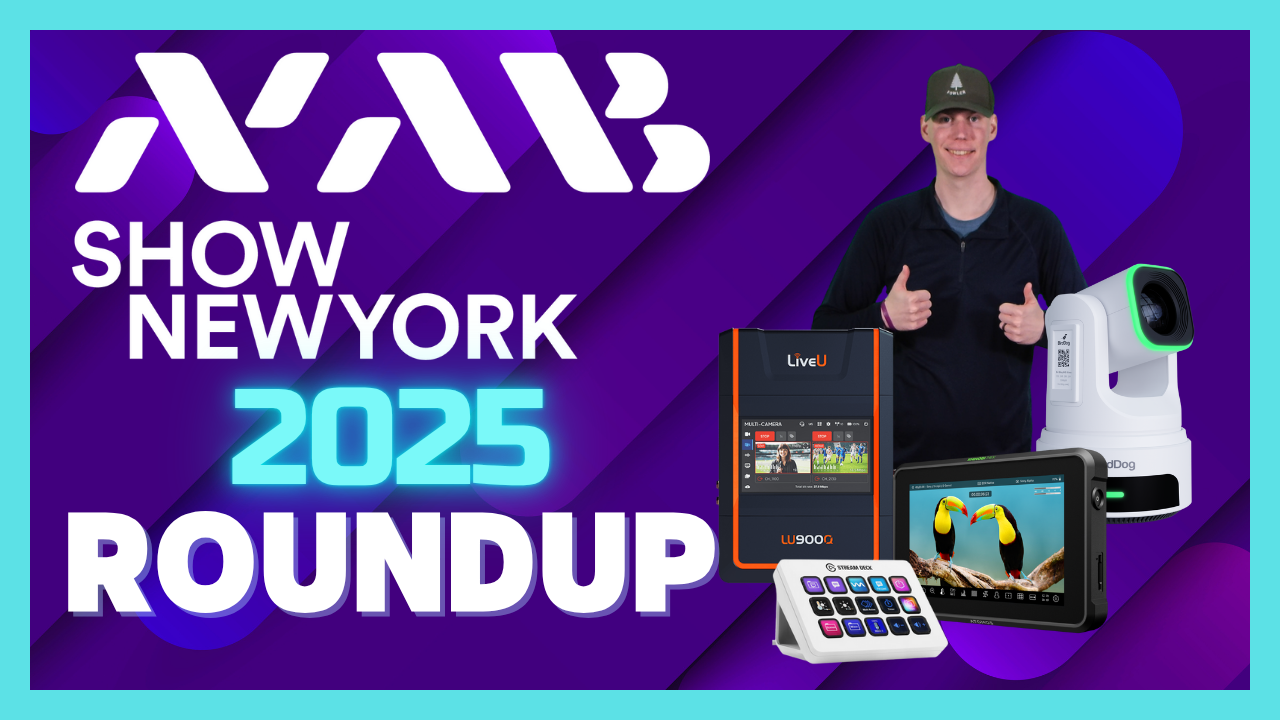
In this episode of Videoguys Live, Video Production Specialist James shares an in-depth recap from NAB New York 2025, showcasing the latest innovations in cameras, live production gear, and workflow technology. With so many of our top manufacturers on the show floor, there was plenty of exciting news to cover from brands like BirdDog, Elgato, Atomos, Canon, Panasonic, PTZOptics, Netgear, and more.
[embedded content]
BirdDog Unveils the XL Ultra, X4E, and O4 Outdoor PTZ Cameras
BirdDog turned heads with several powerful new camera releases. The BirdDog XL Ultra features a large 4/3″ sensor, 20x optical zoom, AI autotracking, and dual outputs for both wide and telephoto shots—perfect for professional PTZ workflows. The BirdDog X4E Ultra brings Ethernet connectivity to the popular X4 Ultra model for wired NDI workflows, while the rugged O4 Outdoor PTZ delivers up to a 60x zoom in HD with IP66 weather protection.
Elgato Joins Videoguys’ Lineup
One of the biggest announcements is that Elgato is now available through Videoguys! Their Stream Deck Studio, Prompter XL, and full range of control surfaces, microphones, and accessories are now part of our product family. Elgato’s automation tools are ideal for studios, streamers, and corporate AV setups, making production smoother than ever.
Atomos Introduces the Ninja TX and Shinobi RX
Atomos showcased the new Ninja TX and Shinobi RX, offering 4K HDMI/SDI I/O, CFexpress Type B recording, and Wi-Fi 6E connectivity for seamless Camera to Cloud workflows. The Shinobi RX pairs perfectly with the Ninja TX for flexible wireless monitoring—ideal for filmmakers and broadcast professionals.
PTZOptics and Panasonic Highlight Next-Gen PTZ Solutions
PTZOptics demoed their Move 4K, Studio 4K, and upcoming Horizon web GUI for easier camera control and AI-assisted tracking. Panasonic highlighted their AW-UE150A PTZ camera with an optical low-pass filter for LED wall shooting and dual 3G SDI outputs. They also unveiled the AW-RP200GJ controller, allowing dual PTZ control and IP-to-SDI conversion for hybrid workflows.
More from the Show Floor: Netgear, Kiloview, Teradek & More
Netgear presented their M4250 and M4350 ProAV switches supporting SMPTE 2110 and Dante AV, offering PoE+ power and network visualization tools. Kiloview showcased their RFO2 rackmount encoder/decoder system, Cube R1 recorder, and Cube X1 router for NDI production. Teradek revealed the Prism Jetpack for bonded cellular streaming and the Ranger series for zero-delay wireless video transmission.
Western Digital and SanDisk rounded out the show with their creator-focused SSDs, Pro-G RAID systems, and ProBlade portable storage solutions, ideal for content creators and post-production teams.
Looking Ahead: NDI November 2025
James closed the episode with a reminder that NDI November 2025 kicks off next week! This free, month-long virtual event series explores the power of NDI technology for modern IP-based production. Attendees can register at NDINovember.com for a chance to win prizes like a PTZOptics Move 4K or BirdDog X4E camera.
Celebrating 10 Years of NDI: A Conversation with Its Creator, Dr. Andrew Cross, and Kiloview’s Judy Zuo

As NDI marks its 10th anniversary, one name continues to stand at the center of its story — Dr. Andrew Cross, the visionary who created NDI and first introduced Kiloview to the NDI ecosystem a decade ago.
In this exclusive discussion, Dr. Andrew Cross and Judy Zuo, Vice President of Kiloview, reflect on the origins of NDI, the groundbreaking ideas that shaped its creation, and the technology’s remarkable evolution over the past ten years.
They also share insights into the future of IP-based video production, exploring how innovation and collaboration continue to redefine broadcast workflows.
Watch the full interview and celebrate a decade of progress, creativity, and transformation in the world of NDI:
[embedded content]
Learn more about Kiloview below
Read the full transcript:
[Music] Hello everyone. This is Judy from Kil View and welcome to our special interview today. Today I’m going to have a very special guest. Um you know one of the reason for this interview is you know the uh 10th anniversary of NDI and also Kilov is also celebrating our 10 years journey with NDI and of course uh our story with NDI would not be complete if without our guest today uh the creator of NDI Dr. Andrew Cross. So Andrew, welcome, welcome to uh joining me and thank you so much for your time. Uh so tell us how are you? Uh how have you been? And I know you know many of the very early stage NBI fans would be very excited to see you to hear from you. I’ve been doing well. I’ve been, you know, I it is just exciting for me to see and continue to see that NDI and what we started what 10 years ago now I can’t believe it’s I actually find it hard to believe it’s 10 years is still something that that is leaving a mark that that that’s very humbling and exciting. So um I’m doing well. That’s great to hear. So you know we have known each other for many years and this is really the first time we have this kind of chance to sit together talk about NDI. So my great honor and of course um I have to say is if if if without you then we will not really start the NDI journey and right now we know NDI ecosystem has becoming expanding and I know there are quite a lot of the new um NDI adopters, partners and users. uh we are very honored you know we we had the chance to witness the very beginning but I think for quite a lot of the new users new adopters probably they missed the very beginning story so that’s why we would like to organize this interview and I would like to uh ask you or you know asking you to share a little bit of the early moments like uh how this crazy idea was born how it was grown and also how do to see the NDI development. So maybe we can start uh talking about the birth of NDI. So my first question for you would be can you actually uh take us back a little bit to the very beginning you know how NDI was born and uh what were you just trying to solve at that time you know at that time maybe 10 years ago it was more bassband and how why are you thinking maybe you you need a new way to move the video around. We started NDI I think for for there were probably a confluence of different things that are the reason why NDI happened. And I think that the um you know the first one was um we believed very strongly that computers would be the future of video production. We you know today I think today we almost take that for granted. I think we do everything on computers today. But you know 101 15 years ago that wasn’t an assumption. In fact I think the general assumption was computers are where you check your email. You could never trust it for production. And I think we believed that computers would would become the future of how video is produced. Now the the challenge of course is that computers don’t that the native langu language of computers is um is not SDI or um HDMI the native language of computers is going to be IP and so if you believe that the future of production is going to move towards computers and computers the magical thing is that they run software um you must believe that the future future has to be something where video moves over IP. It is easily accessible in software and runs on computers. And th this seemed so obvious except there was nothing in the industry that was really doing this. the the the existing IP protocols. I think there was a recognition that IP could be important, but the the the existing IP protocols were built around not around what software needs were, but around what hardware needs were. And so we saw this huge opportunity, and I shouldn’t say that, we saw this need. We our customers needed we needed that to be a way to move video around um that would work really well on computers and would work really well with software. And um we strongly believed um that if we did this that this would be one of the things that allowed you know video production to become possible on computers. And it was it was not to us a question of whether this would happen. It was it was so obvious that this is the direction that things would go and the only question was there’s nothing that does it today. Do we wait for somebody else to do it or do we believe that this is important enough that we should do it? And we clearly fell into the category of no we believe this is really important. We believe this is what’s going to enable video on computers and so this is something that we should help create and that that is you know kind of the the set of thoughts that led us to creating. That’s really a very great idea to start with this kind of you know a a new stuff new new technology to uh bring NDI to bring NBI out and of course I believe you know always um you you are you are the kind of person that you always when you want to do something you will have a kind of vision you want to think big you want to dream big so uh what’s what’s the very original vision you you wanted to do or you know what’s that about the vision? Um, so the the the vision’s clear. I think if you you know going back to what I just said, if you believe certain things and if you believe software is the future, you believe computers are the future and you believe that IP video or IP is the native language of computers, it is obvious that you need to solve that problem. And if you do solve that problem, you’re solving one of the biggest issues that the industry will face. Like it to me it seemed very clear that the you know that the path of the industry was headed one direction and we needed to stand in the way of that path which is to build a protocol that made it easy to produce live video in software. And in doing so we totally believe that this would be good for us but we also totally believe this is what the what the industry and customers would need. And so um you know it the vision was that if we can do this we help change the way video production is done make it more accessible to more people. And in doing this we you know we we change how video is used. And so those were the things that drove us to do it. And it just seemed a logical outcome from these three core things which were just you know software plus IP plus computers. And if you believe those things, they’re still true today. If you believe those things, um then there is no other option but to do this. So that is what you know that is what what drove us and that is what the vision was to create. And I think 10 years later um you know it is clear that those things were right. Um I think it is a very interesting question on whether there’s now more more things. um it’s not just three maybe there’s four or five things but I still believe that this vision those three remain true today yeah I I I think definitely we agree about that and as you mentioned you know the vision is we if we do that we can change it and I can recall in 2019 uh I I believe there was an IB time right uh I think at that time we talked about uh NDI4.5 five or something and together we change the world. I I still believe that slogan. So yeah, you previously mentioned you know right now it’s 10 years. So right now we we can see NDI is almost everywhere. Uh it’s very widely adopted uh NDI techn the IP technology. So um do you do you feel is is is moving the way that you are envisioned or is just moving a little bit around or what do you think of of the developments in the end now after 10 years? Well, this this is a tough question and I think it is a little bit like asking you if your ch children are amazing and everybody’s children. Everybody thinks their children are amazing and NDI is amazing and so I think I would I would never be able to say what I think is wrong with my own children. Let me answer it maybe in a slightly different way and say where the opportunities are for my children. So um I I said clearly that I thought that there were three there were three key things that that are the reason we created it. Software, network and computers. And I I kind of hinted that I think that there are more than three today and I think that um the way we produce software has changed in 10 years. We you know 10 years ago we were using Windows and we were using you know compiled applications and and that’s no longer the way a lot of software has develop developed now. I think we’re using webstack we’re using mobile like the software piece of that has changed over those 10 years and I think the you know it’s important to recognize that change and I think it’s important to adapt to that change. I think that where we where you know high bandwidth and connectivity was local networks I think that has changed. I think we now we’re in a highly interconnected world where increasingly you have access to high bandwidth everywhere and it’s still very difficult to send signals around the world as we know from recording this broadcast. We need to solve that. And finally, I think that um you know clearly AI and cloud and browsers like like there’s things there that are happening that are changing the way we all develop software, we all use software that are very new those are just you know one or two years old and I think that clearly we need to be thinking around how how video plays into those areas and how those areas help they will make video production fundamentally easier and better and we need to be thinking about how how in the future we we connect all of that together. And so if you if your question was so your your children they’re now 10 years old and you’re looking at how what is what is the direction you want them to grow in I think those are the areas that I would point to. Okay, that’s a very good answer Andrew. So uh you know when we we were talking 10 years ago and 10 years now. So I think quite a lot of things has changed. So even including the you know the AV over IP technologies as you mentioned at that time no one was doing that and then you were thinking about bringing NDI out and right now you know on the market there are quite a lot of uh uh different IP technologies uh audio video technologies. So even for NDI we we we we see we we can see there are challenges there are competitors. So my next question would be um how do you see those kind of new technologies if compared with NDI? Do you think NDI is still very competitive? Um I you know once again I I I want to be you know it’s very hard to criticize your children and I I so I don’t want to my children are perfect both my real children and NDI and every product I’ve ever made. Um I think that what made NTI different that there’s something like even 10 years ago why why why does NDI seem bigger than just you know 10 years later the the why does NDI seem bigger than just an IP protocol like we could have we could just be saying now look hey did the X transport mechanism you know or the encryption or the codec like were those like how are those looking 10 years told him we did it. I didn’t answer the question that way. What I answered was I gave you the reasons why we did it and I gave you what we were trying to achieve. I said that the these were the what we saw as the customer need. The customer need was clearly going to be we need to make production easier on computers. And I think that if the if if protocols like it’s not this isn’t about what a technology does, it’s about what problems that technology solves. And so there are lots of IP protocols today. If any if NDI or any of them are just totally focused on what the big problems for customers are, it makes it bigger than a technology. And so I think while NDI remains that while it remains not a technology but remains something that matters to customers, um it will always be important if it stops doing that then it won’t be and then it’s just like every other IP protocol. And I think one of the things that that we and I was involved in did very well was make NDI not about the technology. We never went out and talked about how we’d implemented MDNS or how we’d implemented DCTbased compression. Instead, we went out and still today talk about um what we were doing that would make things better for everybody wanting to build video products. um while you stay true to that you will always succeed and the you know others won’t um and so as long as NDI continue to do that I I will continue to always believe that that doing things that matter for customers is what wins building technologies is how you do that but it’s not a replacement for that so there are lots of IP protocols today um if they the ones that solve customers the customers problems the best will work yeah you know actually uh for this this topic, you know, when we were producing all those kind of uh videos, we once I talked to Jacob about this same question as well and Jacob mentioned actually uh he said the the most exciting point that actually attracted him to uh be continue contributing to the NDI is actually because of the you know the the vision. uh even 10 years ago you have already structured a very good those kind of base you know software based and also um you know thinking about all the possible applications so which actually I believe is because um you know we have the technology sometimes we think you know technology is not really so complicated but uh having the vision having the the base to think about the applications getting everything ready and also having a story that’s really inspires people will be more important to making a technology successful. So that’s that’s that’s from you know uh from our side when Jacob was thinking about that or talking about that. So that’s that’s also why he he always say you already had a very good vision for for those kind of new things and so uh you know I know if we looking ahead we we we will see definitely there are more and more uh companies even including the big companies like you know AWS are all supporting NDI and also uh there are I believe there will be more different adopters uh will be joining the NDI ecosystem. So I mean from from the creators perspective what’s your suggestion for all those uh adopters you know or the ecosystem players what’s your suggestion for them and even you know your suggestion for kilov what’s we can continue on top of ndi maybe some suggestions which direction you see we have the opportunities abs absolutely I I think look um I’ve spoken spoken about this a number of times over the years at different events. I think that if you take a step back and you you you know once again you think what are what are the what are the problems we’re all trying to solve? What are the problems customers and companies and and humans are trying to solve? Um and why um we we get back to you know what what the what the internet has done what global connectivity has done has connected everybody and we use it to communicate with each other. Video is the best way there is of ever communicating. We we it’s what humans we get more information through through seeing it than we ever will through hearing it or feeling it or and so it it seems just inevitable to me that the the video and the use of video and making video more accessible to more people and making it easier to produce are absolute truths that will cover every area. And I think that the, you know, every company who is building tools that users use should be very clear that that the the way that users can communicate the best is going to be over video. So, and but it’s got to be easy. You’ve got to make it easy. You’ve got to make it run anywhere. You’ve got to make it run on the computers and the systems that they’re using, which are not always just computers. It’s sometimes mobile now. It’s sometimes thermostats now. sometimes light switches now. And but if any if if people remain true to the vision that making video easier and making it more accessible to more people, I think that they will do well. And I think that NDI helped create that. I think that that is still it’s still too hard. It’s still just video producers who who do it and it it it but if people if every company remains true to the the vision that some point video will be the natural way we all communicate and internet is what enables this. I think that they they will see huge opportunity. Thank you Andrew. So I uh really really appreciate you sharing all those insights and also bring me you know some memories back. So you know when talking about the our common memories um when we you know actually when we designed our NDI booth last month uh I was thinking how we should uh show the sign we really started I mean kilov’s journey with NDI where where did we start and actually I just remember the photo you know a kind of picture you sent me you put a wireless and at that time it is not really an NDI encoder but is just a normal encoder on the uh you know the kitchen counter. So actually that’s really the sign where Kilo view starts with NDI. So that’s really really quite a good memory. Oh, absolutely. learn kil of you you we we we’ve been I’ve been working with you since since you know the very first days of India and I think that you know we we worked out together very early on how how can we make devices quickly look hardware hardware normally takes years and years and years to build and and you know we didn’t want to wait years and years we wanted to make it so that everybody could access it yeah quickly and kilo view were inspire iring and amazing in helping that that happen. So, NDI ended up with devices long before anybody else. And part of that was, you know, like like our close partners of which you were you were one of the largest at first um helped to make that possible and and that was remarkable and it was fun. Thank you. Thank you. I I mean always you have been helping us a lot, supporting us a lot and also inspiring us a lot. So uh you know at the end of this uh conversation I would really hope our conversation today can also inspire some of the new NDI adopters where also can bring some good memories of all those you know especially the NDI fans initially when you announced NDI. I know there are quite a lot of the crazy followers still following what you are doing what you are thinking about NDI. But I just hope this video can help a little bit. And from Kovio side, we have been so proud to be really um very first and the adopters because of you Andrew. And um we will we will continue we’ll continue this journey and of course we will look forward to see what will happen with NDI. So uh thank you. Thank you so much Andrew. Thank you for your time. My pleasure. Thank you for everything. Yeah, just keep well. See you.
YoloBox Extreme Review: Power, Performance, and an Intuitive All-in-One Design

YoloBox Extreme Review: Power, Performance, and an Intuitive All-in-One Design
The YoloBox Extreme lives up to its name with serious performance and versatility packed into a portable, touchscreen device. Despite offering deep functionality and plenty of advanced settings, the interface remains surprisingly intuitive—making it accessible for both new and experienced creators.
In this detailed review from tographer, you’ll get an inside look at how the YoloBox Extreme delivers professional-grade live streaming and recording power in a truly approachable package.
Watch the review to see why it’s considered one of the most capable all-in-one streaming tools available today:
[embedded content]
Learn more about YoloBox below:
Read the full transcript:
This is the Yolo Box Extreme. I’m really excited to open this up. It’s a 4K switcher with eight HDMI inputs and ISO recording. YOLO reached out to send me this device for testing, and I do get to keep it. It’s exactly the type of device I would buy myself. So, I’m looking it as a win-win, but I’m still going to give you my honest thoughts, feelings, and feedback who it’s good for and maybe who it might not be so good for. It’s like an iPad on steroids. You can stream in real 4K right from the box. You have external antennas for Wi-Fi and NDI. You also have backup ISO recordings for editing later. NDI SRT, multicam relays. This thing even has a built-in scoreboard if you’re doing any kind of sports. Pan tilt zoom control. There’s both web and app remote control capabilities. It’s an 11.2 in OLED display. It is so crisp and so clear. I was really impressed with the screen on this thing. Right now, you’re actually watching the Yolo Box Extreme. Yes, I’ve hooked everything up to the Yolo Box. Look at all those inputs. You have 1 2 3 4 five 4K inputs and three 1080p inputs and two HDMI outputs, Ethernet, USB, mic line, USB type-C for data, and USB type-C for power. My gut reaction when I opened the box was, “Wow, this thing is solid.” You’ll notice the screen is built right in. You don’t need any kind of computer. The whole device is self-contained. My entry point into the industry was through AV. So, all of the inputs, outputs, plugging stuff in, setting it up, diving into the menus. It’s just what I love. They even include a cold shoot a/420 adapter. It’s nice. These look like external antennas. is they provide better Wi-Fi signal strength and range to enhance wireless connectivity for Alpha 1, Alpha Cam, NDI, and more. The Switcher is a computer. There’s no external device necessary, so you can stream right from this. It’s got a decentiz battery built in. Even if you have a power failure, this thing will stay on because that battery is right inside. All being powered by a Qualcomm 8 Gen 2 processor. When they say extreme, they mean it. What does it say on here? More power behind every capability. I think that sounds pretty true. Good tagline. I’m used to switching with the A10 Mini Extreme ISO, and this has eight inputs as well, but it’s only 1080p. I do like the ISO recording, but if I get ISO here, and some of my inputs are 4K, that’s even better. The other thing you need with the A10 Mini is a computer or a phone or a tablet or something to really configure and control it. With the Yolo Box Extreme, it’s all right here. It does come with a power adapter that you can adapt to your region. So, here in the US, this is the one I’m using. You do lose all of the physical buttons that the A10 Mini gives you, which I do like. I love the ability to hit a clickable button. So, I’m going to see if the touchcreen works as well. A lot of the time, I would use both of these boards in a somewhat automated setup where the software is doing most of the switching. Buttons are a convenience, but not a necessity. I’m glad to see that what you need is here, and the way it’s laid out really makes sense. This is one of those devices where there’s a lot of menus to dive into, but thankfully everything is fairly well organized. It’s really intuitive. So, even though there’s a lot to unpack and dive into, it’s very approachable. If you’re familiar with cameras, production, audio, a general understanding of how these things ought to work, you shouldn’t have any problems navigating the software. It’s very intuitive. Look at that. You can just drag and drop to reorder. Oh man, that’s awesome. In the default mode, a simple tap allows you to switch inputs seamlessly. Very little effort. You just tap and it goes. You can even use layouts as an input source. And there’s some default presets, but you can really customize your own. I was able to rebuild what I normally do in post-prouction right in the board. So here on the left you can see your standard video sources but on the right you can see multiv- views which are these different layouts. You have full control over position, scaling, all sorts of cool layering that you can do with your cameras. It looks like you can even take it up to four views in one. From a technical standpoint, this is really impressive. Now I have this incredible four camera layout that I was able to set up in a matter of seconds. There’s some different view modes between classic and director. Here you can tab through the different menu modes. So there’s overlays, audio, background music, some kind of scoreboard if you were doing sports, a replay option, recording settings, auto switching. I’m most excited for video follows audio. If you’ve seen any of my previous setups of automating a podcast or a live switch, you need video follows audio. And I love that it’s built right in. And you can even reorder these tool menus based on your preference. If there’s ones you don’t use, like background music for example, you can just remove it. Some disclaimers. This is a touch screen. So you will from time to time have that slight unresponsive little bit of a hiccup. You go push something, you got to push it again. So just be careful, especially on some of the smaller menu items. If you’re the type of person that loves tactile buttons, this probably isn’t for you. Although I’m sure you could get used to it if you’re familiar with any kind of smartphone. It’s very similar, but it just has that little bit of imprecision that you get with a touchcreen. But that also comes with so many advantages because of all the menus and layering and customization. I do believe they sell an external button device that you can plug into the Yolo Box Extreme. So that is an option if you want to take this to that next level and have those physical inputs. You can run a video from an SD card, images, PDFs. You’ve got HDMI inputs, USB inputs, and these built-in multiv- views. I love it. One of the things that’s always on my mind these days is that cameras have gotten incredibly powerful, and they’ve gotten really affordable. It’s very easy to have 1 2 3 four or more cameras, and then you’re wondering, what do I do with all these cameras? This is the perfect way to manage all of them. Whether you’re doing a podcast, sporting event, even a wedding, conference, whatever it might be, if you need multi- camera coverage, you need a good way to manage all those devices. Traditional broadcast switchers are still outside of the price range that I think most people would be comfortable with, but in the age of Instagram, YouTube, Tik Tok, streaming everywhere, it’s kind of a necessity these days to be able to deliver a quality product in a live environment. There’s a few different products out there that’ll handle these types of productions, but I think the Yolo Box Extreme hits that perfect balance between price point and functionality. I think a lot of people will see the value once they realize what this is truly capable of. So, I want to show you guys NDI cuz this is pretty cool. This is what blew my mind. Take over any phone that has the ability to download the NDI app. And pairing it was probably the easiest thing I’ve ever had to do from a technical standpoint. It just connected seamlessly. What’s great is that you can run around with that and as long as you’re connected to the Wi-Fi router, you have signal anywhere. It’s not from the phone to the board, it’s from the phone to the Wi-Fi to the board. So, you could run throughout the whole house. You could even probably a backyard, front yard. You could go all over and still have really good, clean signal. It is so cool. Based on my current settings, it does look like I hit some kind of encoding limit with all the ISO tracks I’m trying to record at 4K. So, it seems like you kind of have to mix and match and balance exactly what you want to record. A point of caution, it’s very easy to take this to the extreme. But at the end of the day, it is a computer of sorts and you can definitely overdrive it. If you’re trying to do too much, get too much out of it. It will give you an alert. That warning is good and bad. I appreciate that it’s there letting you know, hey, this thing we it’s reached its limit, but also I kind of wish I could push it to that absolute limit recording all of my inputs all at 4K. It’s kind of crazy, kind of an extreme, but it’s in the name. So, just be careful. You might go a little bit overboard because the options are there for you to do so, but just know you can push it a little too far. So, you got to find that nice balance. What’s what do you need? What’s right on the edge? what’s going to check the most boxes without breaking things in the middle of your stream or production. So, it is good to note that even though there’s eight inputs and five of them are 4K, you can’t record everything at 4K ISO. That’s just a little bit too much. Maybe there’s a way to expand the CPU in this some kind of upgrade that I don’t have. But currently, I can’t record everything ISO 4K. I would have to pick three tracks and that’ll work. One thing that’s a little off-putting and I don’t know, maybe it can be fixed via firmware, maybe we’ll see an update eventually, is that the preview boxes have a slight stutter to them. They’re a little choppy. Once you’re in program mode, everything is smooth and crystal clear, exactly like you’d expect. But all the preview windows tend to have a slight stutter to them, which might make you think, “Oh no, something’s broken.” It’s not. It’s just kind of that lower frame rate preview mode. So, I wish that could be a higher refresh, more accurate to the realistic frame rate that every camera is sending. But, I do understand that that’s a lot of inputs to manage. That’s a lot of processing power. So, again, it’s one of those balancing acts. How much do you want? How much do you need? And what’s acceptable? You may be familiar with other devices, switchboards, etc. that show you previews where everything is is in real time. And that’s really, really nice. This isn’t quite there yet. Maybe one day they’ll get it there. Or it’s just a limitation of the processing power. Don’t worry, it doesn’t affect your final recorded content. It doesn’t affect the program, but your small lowresolution, low frame rate previews, eh, it could be improved. Now, one thing I don’t see is a headphone. H audio out. There it is. Just on the other side. Had me worried there for a second. and I wasn’t going to be able to do headphones. I’m still just scratching the surface. Like any new product, it really takes time. You got to dive in deep, play around, experiment, try stuff out, see what works, how it operates. And I love that about new tech and new gear. It’s so fun for me to explore and try something and learn something and realize, oh wow, I can do a lot more than I ever thought using this device. So, I have a lot more testing and triing, but I am absolutely excited to have this in my kit. It’s one of those things I can leave in the studio or take with me if I need to do some kind of traveling live production or just multi- camera production that’s going to be edited later. It’s still helpful to have that central hub where everything is going versus everything recorded internally and you got to sync it all up later and deal with all that. This is kind of the brains of the operation and so far I’m really impressed.
TriCaster Bundles — Unleash Your Production Power + Free Stream Deck
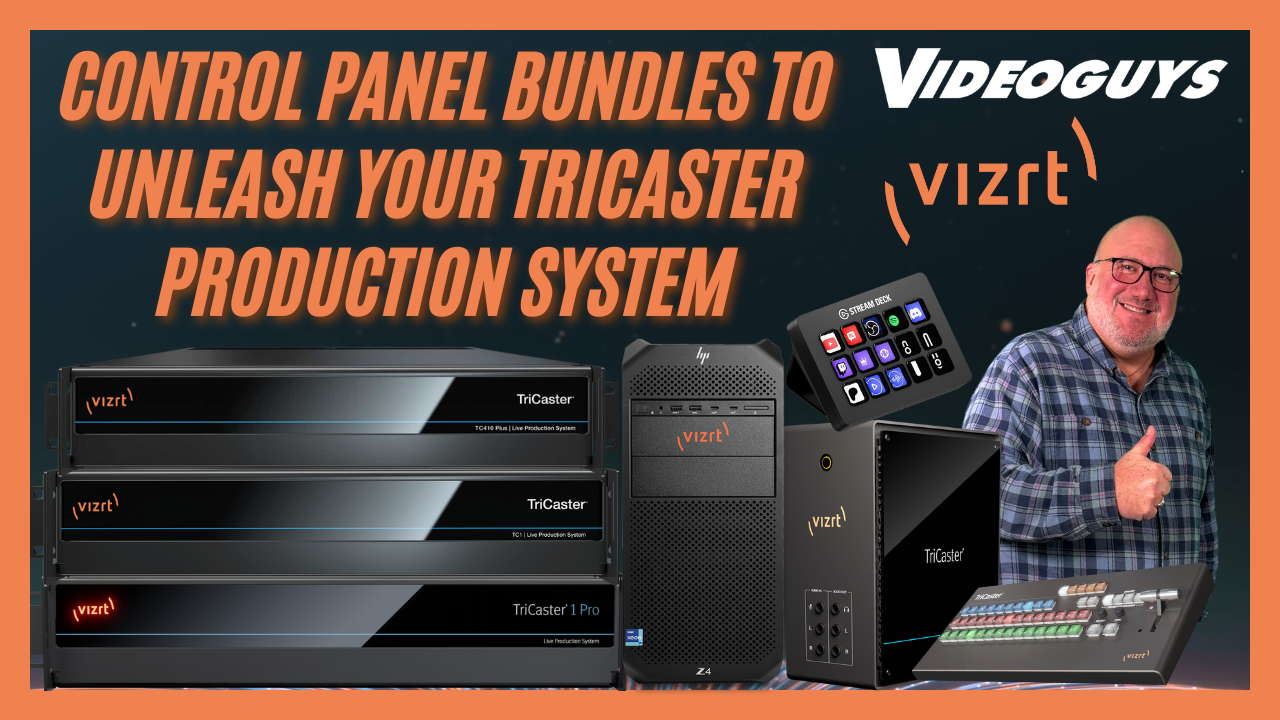
Videoguys is excited to announce all-new Q4 TriCaster Control Panel Bundles — the perfect way to level up your live production workflow. These bundles pair powerful TriCaster systems with Flex Control Panels and, for a limited time, include a free Elgato Stream Deck ($150 value) to supercharge your productions.
Whether you’re a school, house of worship, local government agency, or professional studio, these bundles offer the flexibility, control, and scalability to fit your needs.
[embedded content]
🖥️ Why Upgrade to a Vizion TriCaster Bundle?
- Complete live production systems designed for easy setup and portability
- Powerful NDI and SDI connectivity for modern workflows
- Bundled with professional control surfaces for fast switching
- Free Stream Deck to boost efficiency
- Backed by the expertise of Videoguys — real operators who use this gear every week
✨ TriCaster Mini X Bundle — Portable Power Under $10K
The TriCaster Mini X bundle is perfect for:
- K–12 schools
- Small houses of worship
- Local governments and corporate communications
Bundle Highlights:
- 4 HDMI inputs with NDI support
- Stream and record up to 4K 30p
- Mini Control Surface + carrying case
- Compact, desktop-friendly design
- Budget-friendly pricing under $10,000
🎁 Free Stream Deck with Every Bundle
Every Vizion TriCaster bundle includes a free Stream Deck — a $150 value.
Why You’ll Love It:
- 15 customizable shortcut buttons
- Trigger camera presets and graphics instantly
- Easy talent access and emergency control options
- Seamless integration with Twitch, Zoom, and Microsoft Teams
- Speeds up workflows and reduces operator error
⚡ Flex Panel Bundles — Pro Production Performance
Take your productions further with Flex Panel bundles available for:
- TriCaster TC410 Plus
- TriCaster TC1
- TriCaster TC1 Pro
Key Features:
- 4K p60 streaming and recording
- NDI and SDI connectivity
- 16 external video sources
- Enhanced automation with Live Call Connect
- Integrated Dante audio and NDI Bridge
- Upgradeable with Dual Flex Panel for expanded control
🏢 Vizion Series — Enterprise-Level Power
For large-scale, future-proof productions, step up to the Vizion Tower or Vizion Rack.
Vizion Highlights:
- Up to 44 live video inputs with hybrid NDI/SDI
- Built on HP Z4 workstations for reliability
- AI-assisted production tools
- Advanced Viz integration for premium workflows
- 3-year subscription to Flowics (a $3,500 value)
Rack Options:
- Vizion Rack 8 or Rack 16 configurations
- 8 or 16 configurable SDI I/O for flexible setups
- Ideal for machine rooms, OB trucks, and scalable studios
🌐 Build a Complete NDI Ecosystem
To get the most from your TriCaster system, Netgear ProAV switches are our top recommendation.
- Optimized for NDI
- Reliable and scalable performance
- Reduces network issues and simplifies setup
📞 Why Buy from Videoguys
- Expert advice from real operators who use TriCasters every week
- Nationwide dealer network for hands-on installation and support
- Immediate stock availability and fast shipping
- Exclusive Q4 promotion with free Stream Deck included
📞 Call us today at 1-800-323-2325 to learn more or place your order.
📢 Follow us on social media for updates, subscribe to our YouTube channel, and stay tuned for more live demos and industry news.
🏁 Final Thoughts
TriCaster Bundles are your chance to upgrade your live production workflow with pro-level tools, reliable hardware, and an exclusive freebie. Whether you’re producing in a classroom, church, city hall, or studio, there’s a bundle built for your needs.
👉 Don’t miss this limited-time Q4 offer. Call Videoguys today to reserve your bundle.
How to Set Up Local and Cloud Production Streaming with Teradek Serv 4K and Teradek TV
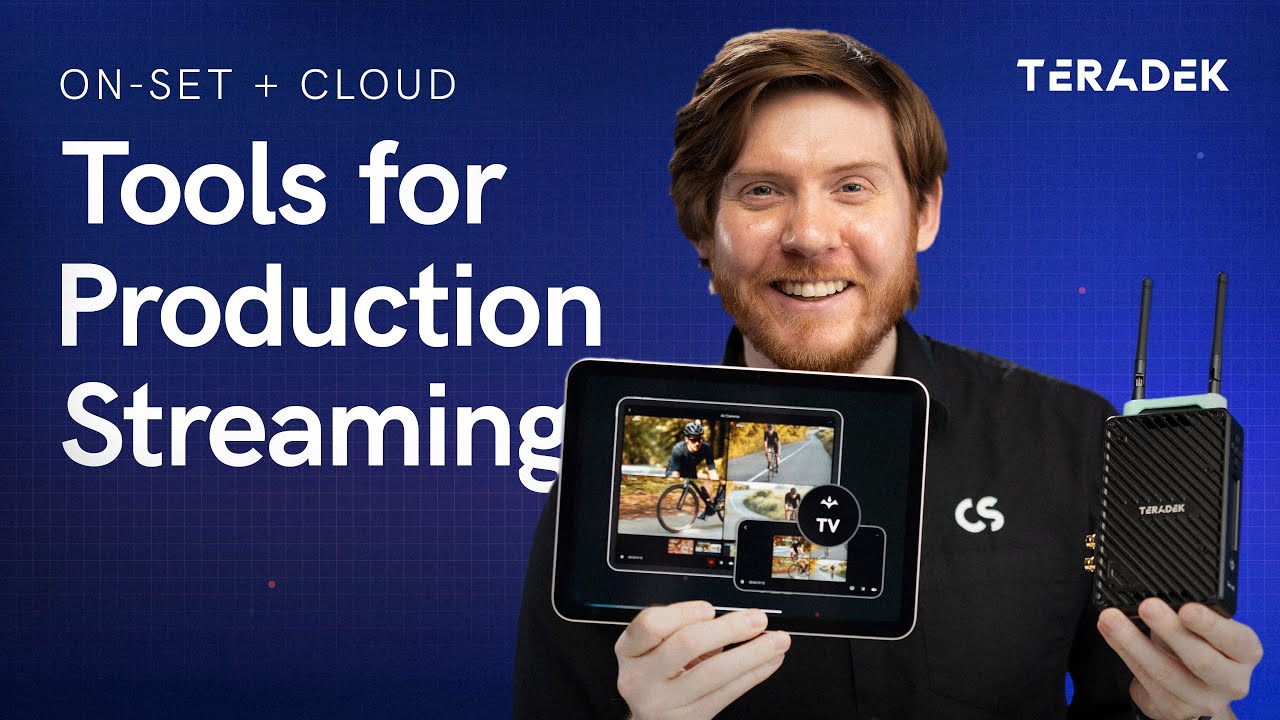
In this video from Teradek, Colin explains how production streaming can enhance both on-set and remote workflows. With the combination of Teradek Serv 4K, Teradek TV, and Teradek Link AX, it’s easier than ever to deliver secure, low-latency camera feeds to anyone who needs them—on location or anywhere in the world.
[embedded content]
Colin starts by focusing on local streaming, which allows directors, producers, clients, and crew to view encrypted camera feeds on their phones, tablets, or Apple TV with no complicated setup. The Teradek TV app supports features like multi-view layouts, built-in video tools (false color, peaking, LUTs, waveform, histogram), frame grabs with custom naming, and watermarking for security. This makes it easy to keep everyone on set connected and informed in real time.
The hardware setup is simple: one Serv 4K encoder per camera and a Link AX Wi-Fi 6 router for multiple feeds. You can stream to up to 20 devices without any subscription costs. Setup can be done through the Serv 4K front panel, the mobile app, or a browser-based web interface, offering flexible control over video settings, encryption, and viewer access.
The video then explores cloud streaming, perfect for productions that need to involve remote creatives, clients, or post-production teams. By connecting to the internet or using Teradek Node with Teradek Data, you can securely share feeds through the cloud with minimal latency. The workflow supports camera-to-cloud recording, passes metadata from professional cinema cameras, and enables encrypted, high-quality streaming anywhere.
With Teradek TV, you can easily combine local and cloud streaming to create a flexible, secure, and professional production environment. Whether it’s a large studio shoot or a remote collaboration, this workflow keeps your team connected with real-time access to the action.
Learn more about Teradek below:
Cloud Broadcast Revolution: Is the Industry Ready for a Cloud-First Future?

At IBC2025, Roberto Musso hosted NDI Connected Talks, exploring one of today’s biggest questions in broadcast technology:
Is cloud-based broadcasting ready to become the new industry standard?
Experts from Ross Video, Comprimato, AWS, and Vizrt shared insights on how cloud workflows are transforming live production—covering opportunities, challenges, and real-world adoption strategies.
Watch the full session to learn how the future of broadcast is being built in the cloud:
[embedded content]
Learn more about NDI below:
Read the full transcript:
the NDI booth, the ecosystem booth at IBC and I’m very pleased to have this panel with these friends. Uh I’m Roberto Muso, technical director at NDI and known as Dr. Ndi. So we are talking about cloud and we will have a very interesting session. uh introduction. So over the last decade we have seen cloud uh reshape almost every part of media from storage distribution to editing and collaboration. But in live broadcast the adoption has been a little bit slow. Uh the reason was you know the perception about reliability, latency uh interoperability and all those factor continue to spark debate about cloud usage and and adoption. And so today we want to ask the big question. Is the cloud finally ready to become the standard for broadcast production or it will remain complimementaryary tool alongside on premise infrastructure. And so to explore this we have uh good friends uh three four leading voice Norasan uh worldwide partner solution architect media and entertainment at AWS uh the company that more than any other are defined the cloud infrastructure what the cloud infrastructure means at scale. We have Steve Taylor, chief product and technology officer of Vizart. Vizarti is a pioneer of softwaredefined production enabling live workflow to move into the cloud with creativity and flexibility. We have Jiri Matella, co at Compreato, which is a specialist in video processing and compression, helping solve the very real challenge of efficiency, bandwidth and quality in cloud workflow. And then we have Aaron Tunnel, business development director for cloud solution at Ross video. Ross uh is a global leader in cloud production technology uh known for his broad portfolio spanning graphic automation production system. Ross has been increasingly focused on hybrid and cloud native native solution that help broadcaster transition exist uh the existing workflow into flexible scalable cloud environments. So together we will look at the opportunities the challenges and the particular steps needed for broadcaster to fully embrace the cloud. So the first question is for all the panelists. Uh so cloud workflow has been discussed for over a decade but adoption has been uneven. What do you see as the biggest barrier still holding back cloud-based broadcast from the becoming the default standard? So I am not for mic so I ask you to help me and share the mic is already on. I can go first. Um I think the the technologies that work in remote production. We have many many tools that makes remote production possible today. uh I think uh especially when it comes to uh quality is also very technical to put up virtual production but I think the biggest struggle is in kind of like engineering knowledge because all of a sudden something about the video that has been around for knowledge and other for years all of a sudden so I security devops and a whole bunch of other areas where the video [Music] is my mind for bigger adoption of the virtualization. Sure. Um I can go next. I agree with you on the knowledge side of things. I would say look at it from a consideration standpoint. So when cloud workloads for broadcast started, it started mainly with uh playup as the main workflow and with that came a set of considerations. Example, how do you contribute content to the cloud or how do you enable multi-reion resilience? As the workflows be are becoming more intricate, our customers are want to create content, they want to connect systems together, they want to um enable personalized experiences and so on. the considerations are also evolving and so looking at things like you know the knowledge base is one of them but interoperability is a key aspect as well. How do we accelerate interoperability to reduce the time to market for customers uh and have solutions that they can trust and benefit from. Uh also uh leaning in on the superpowers of partners and accelerating uh applications that are maybe API first or coming back to that DevOps lens as well. Right? So these are some of the areas and and and I think licensing is is another consideration as well. You know, how do you look at licensing especially in hybrid work? Well, I could just say I agree with all that because I do. Um I think there’s an element of uh just lack of awareness or experiential trust this new technology. If we look at the transition from SDI to IP over AB over IP, this is the next step of that. And so just getting that awareness, the the knowledge that the thought that you need to know how to set up virtual private things in the cloud and blah blah blah is the challenge and we need to make it as simple as possible. So the onboarding, the offboarding, the support of protocols, things like NDI supporting media central is an amazing sort of adoption factor to allow people to not even have to think about this. And that’s what we need to do. We need to stop talking about cloud. It just needs to be there and then we’re talking about what we’re doing in the cloud because that’s the real value that we we’re all striving towards. Of course, I agree with everybody here. I was going to say skills gap, right? I uh I joined AWS uh 10 years ago and and it’s not just a skills gap of the ven diagram of cloud engineers and broadcast engineers and where that overlaps is was small then it’s still small today. We have to make it easier. Um I like what you know Steve just said around you know cloud is really a distribution method. The technology is ideally the same and transparent to the end user. So I think it comes down to we need to make it easier easier for things like licensing like Nor mentioned easier for signal discovery um easier to deploy from that perspective and then we’ll get uh more adoption from that from that side of it and it’s not just on the hyperscalers you know many of us here on this panel are from the vendor side as well and so that’s part of the journey that that we need to take along with customers is is part of that. Yeah. So the next question is for no. Uh so as one of the main driving force and many of us will say the driving force behind the democratization of cloud service. Have how have you seen the role of the cloud in broadcast evolve over time and what are the biggest difference between uh when this journey began and when we are today and where we are today I would say cloud is an enabler right and and I think that’s something that Erin alluded to we want to think of the cloud as a as a vessel right to achieve achieve um excellent business outcomes for our customers. So as AWS and our partners, we are customer obsessed in helping them get there and we see that in how the workflows are evolving in the cloud. So if you combine the superpowers of partners right whether it is obviously you know NDI and confirmato anderti and Ross and others each one of our partners has superpowers combine that with breath and depth uh services in the cloud that are not only horizontal but are purpose-built for media and entertainment. So services for media and entertainment solution for media and entertainment plus I would say the experience of AWS teams for over 18 years in in in the space. If you look at our general manager for media entertainment games and sports Samira Baptier she came from Cisco and she was working on the broadcast. Thomas Edwards is a semantic fellow and is also ex Fox. I came from a vendor as well, right? And so it’s a combination of these things that are accelerating uh the the workflow and the vision of our customer. Great. Thank you. So uh question for Steve. Uh V3 has been enabling software defined production for years. How do you see cloud workflow changing the role of live production teams for example and are we moving toward a model where creative talent can be fully distributed worldwide and not being in the same place. Yeah, I think I think there’s two angles on this. Let’s talk to that one. Absolutely. People can now produce a show from anywhere at any time. We did a great uh thing on the beach about two years ago on California and got all these technical directors in and showed all our products and then realized that actually they weren’t in the same room as the products and that understanding that I don’t need to be here and get on a plane. It is a great thing obviously it’s a great thing for health, social mobility and flexibility but also just that ability also to have the people in one place but all of the equipment does not need to be shipped out to the ground. So that’s also, you know, no more truck bowls, no more heavy equipment, obviously still the cameras there. So there’s a lot of flexibility either way. Um, and I think that’s what we we like. We’re actually changing the the workload, the way people are engaging with the technology and not just technology at the same time. And then of course you once we get to the cloud then we’ve got all these other capabilities of AI enhanced workflows and pulling things together and automation and agentic reduces and everything and that also changes that workflow as well which is amazing. So the next question is for Jerry. Uh low latency video processing and efficient codeex are crucial for cloud production. How sorry. So how is compreato tackling the balance between quality bandwidth and computer resource in cloud environment? Right. Um then uh while the software gives you a lot of flexibility in how things but also uh the brings uh a lot of options and those options cloud has unlimited computing power in real environment because you pay for the power. So uh uh I need to rely on special design accelerators for the media processing. So what you need to do is uh you can optimize you know future views formats for both your images and also uh producing and uh I think that uh uh when it comes to cloud specifically like how to do video within the cloud uh I mean NDI has been pretty awesome combination of format but I would also say uh or what I like about NDI is user friendly like super simple design so there’s no uh you know specific you know requirements for things and that’s I think what uh we need in those type of environments like and uh so Cool. Thank you. So the next question is for Arrow. So Ross has traditionally been known for robust on premise solution in live production. How are you approaching the transition to cloud while still supporting broadcaster that need hybrid model? First question and how is Ross helping production team uh to reduce the complexity and maintain the reliability when shifting to virtualiz workflow. Yeah, I think if you look at um you the whole panel is about broadcast adoption in cloud and I think that we have to kind of take a more nuanced approach to that. I think I came to AWS 10 years ago to bring broadcast playout to the cloud. I think broadcast playout is very mature in the cloud as is broadcast distribution but live production in the cloud is still a journey. I know that you know Steve and and Vizart are on this journey as well in particular. Um I think we’ve gotten to a point where you know we’re we’re all customer driven at the end of the day. We’re listening to what customers want. And so I don’t think it’s a conversation as much anymore about whether or not it’s technically possible to do it. It’s really working back from the customer’s you know business challenges. Um and a lot of that can be you know how do we license right for this. So the Ross approach has been you know we do have some customers who are you know air quotes all in on cloud but predominantly most of our customers want to be able to burst it in the cloud for for special events. Um as as Steve mentioned rolling trucks is expensive. I think cloud allows for things like um DR protection for individual local stations that really was never you know fiscally possible before from that perspective. Um, and so I think that that’s the journey that we’re taking with our customers is kind of, you know, chasing what customers are asking for. One of the big use cases today, uh, that we’re seeing is is first of all graphics in the cloud. You know, being able to either add more graphics, um, on demand or add graphics to a lot of tier 2, tier three content, particularly sports content that you couldn’t afford to, you know, buy $50,000 graphics package for. Um, how is Ross making it easier? Um, you know, we’ve been making investments over the last couple years. Really ramped up our cloud team. I’m proof of that, right? Uh, and then, um, you know, we’ve got a a technology demonstration you can come by and take a look at. It’s an orchestrator we call CPS, a cloud provisioning system, drag and drop, um, capability of orchestrating predominantly Ross, but we’re working on third parties as well. And, you know, kind of coming full circle back to the first question of the day, which is, you know, what’s the barrier to entry? the barrier interest entry is still I think a skills gap and the complexity of it you know we’re not alone in this but I think a lot of you know vendors are are on a journey to um make the orchestration and deployment of of cloud live production easier and I think that’s a key component of it thank you I have another question for no so from the AWS perspective what do you see as the unique advantage AWS offer broadcaster moving to the cloud and How do this compel or complement what we had just aired in term of scalability, reliability and enabling large scale contract creation? I would say I would always go back to the customer obsession part and the ecosystem that we have in working with partners, right? like everybody that we have here today. Just in media and entertainment, we have 600 partners and growing across different areas all the way from content creation, broadcast, content production, distribution as well as data science and analytics uh for energy. And so that becomes then again an enabler for our customers uh to be able to um you know getting to the cloud is maybe step one but the idea is what do you want to achieve beyond the potential what it is from a workflow standpoint that you can unlock from a transformation lens right that you want to be able to bring and experiment. So maybe uh testing for regionalization or uh testing with a new different or a new category of audiences. So all of these things are becoming enabled uh with the collaboration of our our partners. The other thing on the resiliency uh example or scalability, right? One of the things that we do or we’re doing well with our partners is interoperability, right? So, uh whether it is with NDI, right? But interoperating the different software vendors together, right? I I think that is another area where we’re helping transform our customer workflows, right? Because you want to test as much as possible and shorten the time to market with that. Yeah. But my next question is about that. So interoperability is a recurring challenge and standard standard like NDI 72110 and emerging cloud API all play a role. How do we ensure a cloud ecosystem where broadcaster can mix and match tools without being blocked it with a single vendor. So this is a question for all of you. I’ll just as a quick comment and then maybe I’ll hand it off to you. Um we we we want to do more of it, right? We’ve done together some interops with NTI. We’ve done interops with JPEG access. We’ve done interrupts where we were testing things like resiliency and breaking things, right? And so I think doing more of it helps. The beauty of NGI is that it is software focused and it enables that quick interoperability, right? One of the superpowers of NGI. So I think bringing more of it uh and more of these events uh would absolutely help. I’m not sure how exactly possible but I think that the um the cloud or virtual um production environment is uh very diverse by nature. So it’s more than than anything else. And uh I think that for uh vendors it’s now much harder to design something that’s really really target because all the students that can actually translate in different formats and standard so are integral part of the workflows and as I said it’s a really feature that allows you to uh switch your workflow from you know this kind of one day it’s JP says I work another day it’s H64 maybe over RTMP um and the cloud is actually providing me that flexibility and uh I think that all these conversions are now integral part of it. So I’m really much afraid about um you know what we knew it from 10 years ago uh because I think it’s much much harder for the banks to create something like that and I think that the cooperation actually among the banks especially in this industry it’s probably unheard of you know kind of like uh uh competing with each other but also I mean not only on personal level but on technology level we really try to work Okay, how to answer that? I mean, I think you know it is that interop that is the most important thing that I’d love to say there will be only one solution to this. I’d love that to be NDI. Great passion for NDI. Um, however, we know that this uh is somewhat of a dream for the next uh let’s say couple of years. And so that interrupt, the ability to convert, the ability to accept anything, to output anything is going to be really important. But at the end of the day, everybody’s a storyteller and so we have to enable anybody to be part of this this network there. I might even have a USB camera, you know, how do I get that into that sort of network, the converters as well as then looking at the accelerators. So if we can make NDI easier to use into AWS or out of or on the backbone of AWS, then great, you know, we can make that an easier decision to make. Um, and and I think those are the sort of areas that we’re looking for uh as to what more can we do to enable this. Obviously, MXS is another really important part of this technology workflow. Making it easy so I can plug things in, tell my story, and all the magic’s happening in the cloud is ultimately what we’re trying to do here. This is not about technology itself. It’s about the ultimate output uh that we’re striving for. I agree with a lot of that. Um I think just to add on the the good and bad and I think really the good part of um live production in the cloud you know using things like you know NDI and AWS you know but using them as a standardsbased along with you know APIs and you know DevOps really allows for live production in the cloud to change out your your vendors or your technology stack on a per production basis and maybe that’s because tool A is really good at, you know, problem A and tool B is really good at problem B. But I think it also kind of comes back to that everyone, you know, is afraid of vendor lock in and how do we, you know, um, help kind of, I think, cool customers down to those worries. I think coming back to what both Nor and and Steve said, I agree like AWS has led with with a lot of the um vendor interop, but I think the more that we show vendor interop in the cloud, people understand that at the end of the day that switching out a piece of hardware on prem is, you know, drackcking it and removing an SDI connection. And it’s really no more difficult to do that in the cloud. If anything, you’ve got more flexibility there. And I think um really the biggest thing holding us back from that is just more flexible licensing and that’s I think hard from the vendor side to achieve um but you know we need to work with customers to kind of figure out what the best path forward is on that. So that come on. So the last question for all of you let’s say that we meet again here at IBC at in 2030 same place uh same people and how do you think that so in your imagination uh software and cloud softwarebased solution and cloud will reshape the broadcast market and the broadcast Well, um I think that uh uh the all the virtualization uh of the production is making the professional broadcast production more and more of quantity. So if uh two of us decide to produce a show or sport or whatever, we can do a one of the you know do we can put up the uh retro production in an hour and start streaming and I think this is more and more things are being produced and I believe that more and more things are going to be produced by independent you know small uh productions because uh the budget is no longer a problem. You would argue the problem is expensive. Yeah, it is expensive maybe if you do uh uh inefficiently if you need things like 247 but for live I think that it’s true enable for you know anyone to afford production in a few minutes and very very low budget. I agree dear and I think that uh to your point prompted me to think about user generated content. So I think we’re going to be discussing that significantly more. If you look at how newer generations are consuming content today already, right? I mean um in a theoretical kind of audience I’d ask like hey who’s consuming uh news using social media, right? Like we’re seeing more of that. I think there will be more discussions around it. A personal opinion would be potentially seeing IBC being IMC for international media conference. So kind of the the line that is it’s no longer just broadcast so much accelerated transformation into creating content into connecting systems and into um enabling more uh you know user experiences and and focusing on that right so and I and I think we’ll probably see less hardware focused solutions of course cameras and microphones being there uh absolutely but maybe less so on other hardware components Yeah, I was going to say certainly a lot less hardware uh has got to be the expectation. I think Visit’s done its booth virtual for the last couple of years, you know, with a lot less kit to uh to bring around. So maybe the power consumption of it all will be lower as well. Um but you I think it is more senders and receivers, more of the endpoint devices, more of the things that we’re connecting the talent to or the end consumer. I think it’s going to be the focus of this. And I’m going to predict that we will not be talking about cloud, not because it’s gone, but because it’s just the thing and we need to to get over that hump and then we’ll be talking about whatever the next thing will be there. You know, how best to connect bits of AI together or wherever we may be there. And I will say we’re definitely still going to be talking about NDI. I uh I hope I won’t be here in 2030. I’ll be retired by then um thanks to the uh uh the power of cloud. But um in all seriousness uh I agree with Steve. I think that cloud won’t be you know a buzzword anymore because it’ll just be you know the new normal particularly when we’re talking about live production in the cloud. I think the other things that you know I see maybe coming down the pike is um you know productions being essentially self assembling in the sense that you know you look at a news rundown or you look at you know the type of content that you want to create. This kind of comes back to what Norm was saying about, you know, uh, enabling for, you know, these content creators. You know, I think, uh, the the the number I heard from NAB was 50% of the folks at NAB this year were first year NAB. You got to believe that that’s, you know, userenerated content, you know, coming alive. So um so I think you know self-chestrating signals I think that’s you know the future of of NDI is like not just make it easy in the cloud but how does it you know um self-chestrate self-discover itself and then same thing with the technology base you know um that uh you know whether it’s based on a news rundown or or based on the content that you’re capturing um you know call this you know AI if you want to uh but at the end of the day you know the um the applications are going to be aware enough to be able to uh be ready to to capture that that that live experience you know automagically so to speak. So you know so thank you so much I don’t think we need to wait the 2030 to meet again. Uh if you want to stay we will have soon an hour and thank you again for be be part of the of the panel. Thank you. Thank you, Roberto.
Why the Teradek Ace 750 Is the Best Budget Wireless Video Transmission System for Churches
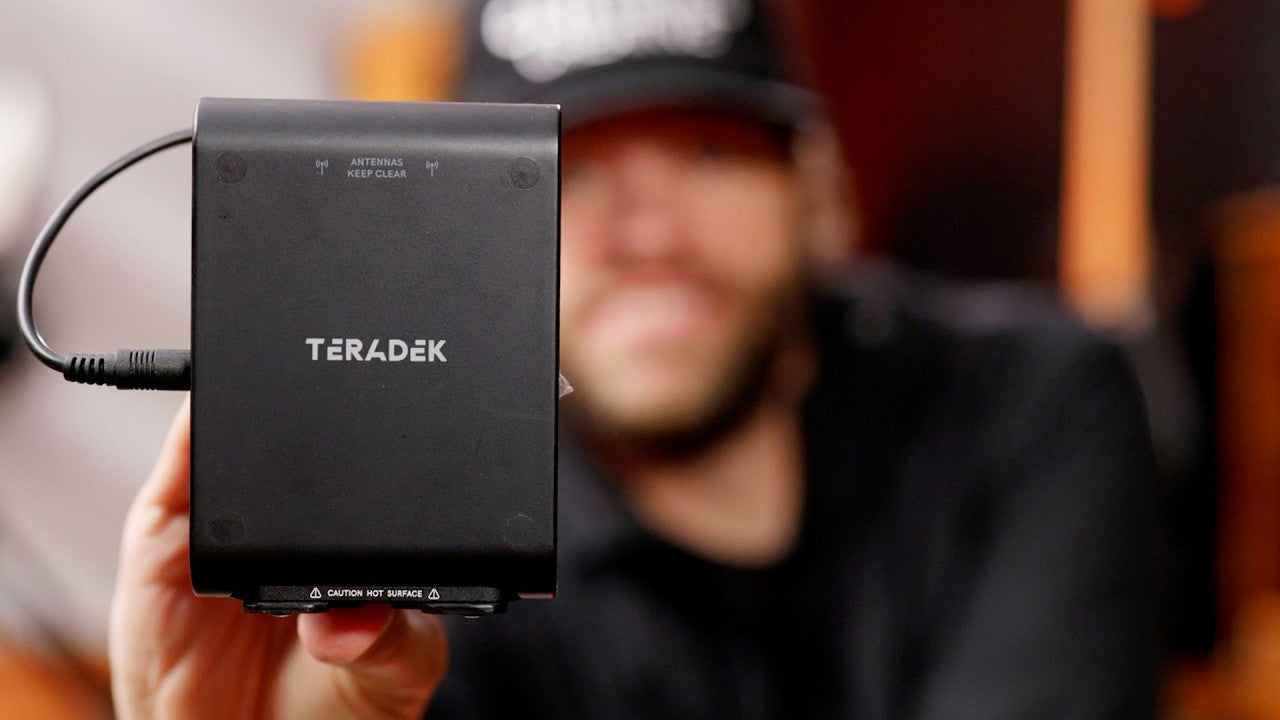
Discover why the Teradek Ace 750 is a top choice for church live streaming. In this review, Ryland Russell tests its low latency, range, and features that make it a reliable and budget-friendly option for wireless video workflows.
In this video from Ryland Russell, we get a firsthand look at why the Teradek Ace 750 has become his go-to wireless video transmission system for under $1,000. Wireless video systems are essential for church live streaming, giving teams the flexibility to use roaming cameras and cable cams without being tethered by wires. Ryland demonstrates the A750’s sub–1 millisecond latency by switching between hardwired and wireless feeds with no visible delay. He then puts it to the test with a real-world range walk around the building—through walls, hallways, and even outdoors—proving its strong and reliable signal.
[embedded content]
After six months of consistent use, Ryland highlights the three features that make the A750 stand out: its compact design with internal antennas (perfect for gimbal setups), the option to add external batteries for extended runtime, and its virtually zero latency performance. The use of the 6 GHz Wi-Fi band keeps the signal clean and avoids interference with 2.4 and 5 GHz networks commonly used in church environments. While the A750 is HDMI-only, it can easily be integrated into SDI workflows with a simple converter.
For churches looking to invest wisely in their live production gear, Ryland recommends the Ace 750 as a reliable, budget-friendly wireless solution. Its combination of range, performance, and price makes it a smarter investment than cheaper alternatives. If your camera has HDMI output and you need rock-solid wireless video for services, events, or live streams, the Teradek Ace 750 is a powerful tool to elevate your production.
Simplify Complex Signal Chains with the AJA UDC 4K Mini Converter

The new AJA UDC 4K redefines efficiency for production professionals needing a reliable, all-in-one conversion solution. Combining conversion, synchronization, and distribution in one compact unit, the UDC 4K is ideal for OB trucks, live events, corporate AV, houses of worship, and post facilities.
Its 4K frame synchronizer allows asynchronous SDI or HDMI sources to lock to external references seamlessly. With a built-in 12G-SDI DA, users can output up to four reclocked signals without additional gear. The UDC 4K also provides utility frame rate conversion — perfect for matching global broadcast standards — and front-to-back airflow for efficient cooling.
Three UDC 4Ks fit on a single 1RU shelf, or up to six can be rack-mounted with redundant power for mission-critical environments. Backed by a 5-year warranty and free technical support, the AJA UDC 4K delivers the flexibility, reliability, and performance that modern workflows demand. Check it out:
[embedded content]
Learn more about AJA below:
Read the full transcript:
Hi, my name is Tim Walker. I’m a senior product manager at AJ Video Systems. I’m here today to share an exciting new product that we’re launching at IBC 2025. At AJA, we know live production, post and broadcast workflows are more demanding than ever. Different formats, mix connectivity, and wildertime signals are your reality. That’s why we built something smarter. Introducing the UDC 4K. The UDC 4K is the newest and most complete mini converter in the AJ product line. It is the one mini converter that does it all. From up- down cross conversion, SDI to and from HDMI conversion, frame synchronization, utility frame rate conversion to a built-in 12G SDI DA. The UDC 4K is truly the one mini converter you should always have with you to solve your production challenges on the spot. This is the front view of the UDC 4K. It has a crisp color LCD screen for status and configuration with physical buttons for navigating and setting all of the devices features. The USB port is used for connecting to Mini Config, AJA’s mini converter configuration software available for Windows and Mac OS. On the rear, you’ll find all the IO connectivity. There’s one 12GDI input, one HDMI 2.0 input, and four 12GSDI outputs and one HDMI 2.0 output. There’s also a reference input for gen lock. And finally, there’s a locking DC power connector. Let’s now explore the UDC 4K’s incredible versatility. It features broadcast quality 12bit updown cross conversion between HD, 2K, and 4K UHD video formats. Perfect for bridging legacy and nextG gear. We also bring our industry-leading physical signal conversion technology to the UDC 4K with pristine HDMI to SDI and SDI to HDMI conversions. This allows easy conversion of SDI signals like cameras or servers to HDMI for output to HDMI displays or for HDMI sources to be converted to SDI for distribution into an SDI infrastructure. The UDC 4K also brings utility frame rate conversion to not only convert between fractional and integer frame rates, but also between frame rate families or standards such as between 50 and 5994. This is such a great utility function to have in this all-in-one converter. The UDC 4K also features a 4K frame synchronizer, allowing asynchronous or wild sources, whether SDI or HDMI, to be locked to an external reference and integrated seamlessly downstream. Frame sync and conversions happen simultaneously in one simple processing step. Thanks to its 12G SDI distribution amplifier function, the UDC 4K can output up to four reclocked SDI signals to downstream devices, eliminating the need for a separate DA. The SDI input can be looped to the SDI 2 and 2A outputs, while the SDI 1 and 1A output can be from the scaler, offering multiple DA possibilities. When the HDMI is being input, it can be looped through to the HDMI output. DAT and looped outputs ensure your signals can flow to the next devices in your equipment setup, making the UDC 4K that much more versatile. The UDC 4K features configuration and control via our mini config software application that runs on Windows or Mac OS, or you can control it directly with its menu navigation buttons and the color LCD screen without the need for a computer. The UDC 4K supports HDR with 10 and 12bit signal processing and HDR signaling metadata management. The UDC 4K shows you the status of what HDR format is coming in and what format is going out. This ensures interoperability with HDR capable devices both upstream and downstream of the device. When workflows get more complex, the best tools are the ones that simplify everything. That’s what this workflow shows is the flexibility of this all-in-one solution. Not only can the UDC 4K do a straightforward physical signal conversion from SDI to HDMI as seen on the top path, but it can also do HDMI to SDI, including upcon conversion from HD to UHD at the same time. The UDC 4K is ideal for OB trucks, venues, live events, houses of warship, corporate AV, and post facilities looking to simplify their signal chain by combining so many production solutions into just one device. The UDC 4K’s design makes it perfect for highdensity conversion needs and has frontto back air flow for proper cooling. Three UDC 4Ks will fit on a standard 1RU shelf. If redundant power supplies are required for worry-free operation, up to six UDC 4Ks can be installed in the AJ DRM2 Plus rack frame. With conversion, synchronization, distribution, and HDMI SDI bridging builtin, the UDC 4K combines multiple functions into one robust, scalable, and reliable unit, making it the cornerstone of any modern signal chain. The UDC 4K has a US MSRP of just $15.95. It’s the one device with every tool you’ll need to convert, synchronize, and distribute SDI and HDMI signals with confidence in any production. AJ products are known for their reliability, and to underscore that, the UDC 4K includes a generous 5-year warranty with free technical support. Please visit aja.com to learn more. For the latest news from AJ, be sure to follow us on social media. Thanks for watching.
Top 3-Camera Bundles for Every Workflow: Save Big and Elevate Your Live Production
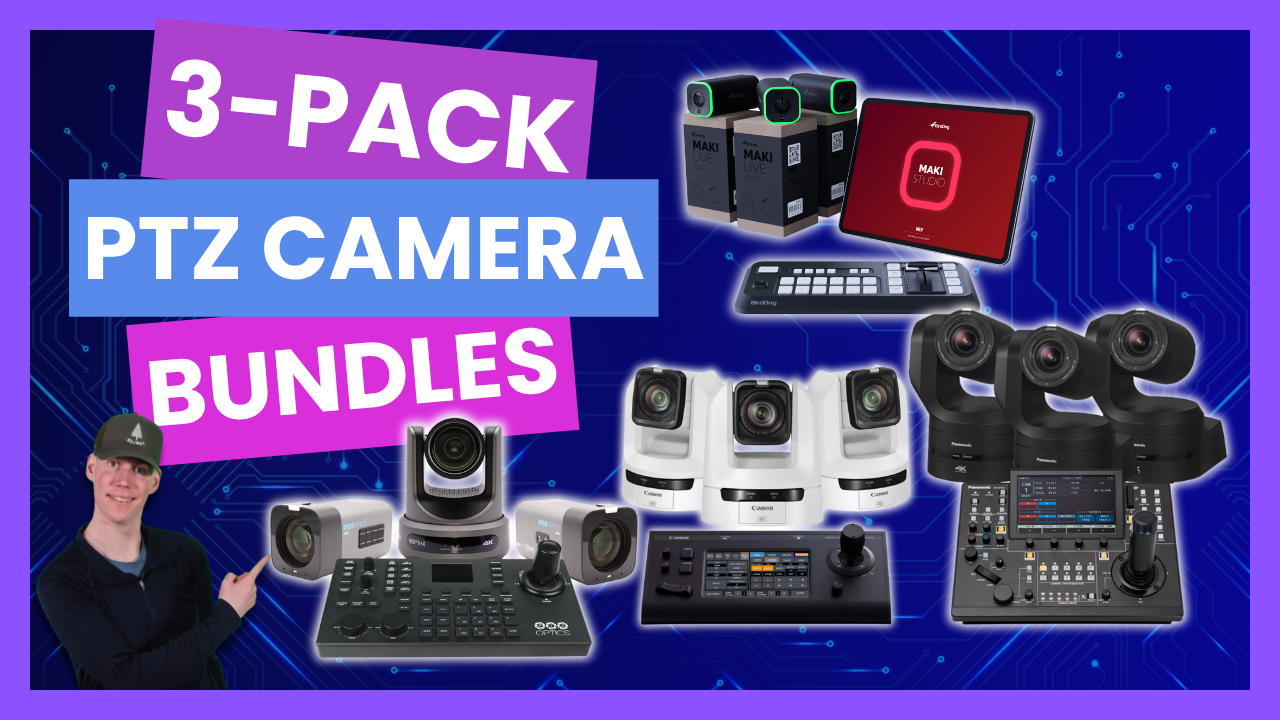
Discover the best 3-camera bundles designed for houses of worship, corporate events, sports streaming, classrooms, and more. Learn how to save money, simplify setup, and scale your workflow with advanced PTZ and box camera bundles from leading brands like BirdDog, PTZOptics, Canon, and Panasonic.
When it comes to professional live production, a three-camera setup is the gold standard for creating dynamic, engaging, and broadcast-quality streams. Whether you’re capturing a sermon, corporate presentation, podcast, classroom lecture, or live sports event, a 3-camera bundle provides multiple angles, consistent image quality, and smooth camera control—all while saving you money. At Videoguys, we offer flexible and powerful bundles from top manufacturers to fit every budget and production style.
[embedded content]
Why Choose a 3-Camera Bundle:
-
✅ Cost Savings: Bundles often include discounts or free controllers, helping you get more value for your investment.
-
🎥 Ready-to-Go Workflow: A three-camera kit gives you everything you need to start streaming right away.
-
🌐 Scalability: With NDI®-enabled workflows, it’s easy to expand your setup as your production grows.
-
🎛 Centralized Control: Included PTZ controllers make multi-camera management simple and precise.
-
✨ Consistent Quality: Matching cameras from the same manufacturer ensures uniform exposure, color, and image settings.
Use Cases:
-
Houses of Worship: Capture sermons, choirs, and reaction shots for immersive online services.
-
Corporate Events: Wireless and flexible setups for presentations and meetings.
-
Sports Streaming: Cover the field from multiple angles for professional-looking broadcasts.
-
Education: Enhance hybrid learning with multi-angle coverage in classrooms and lecture halls.
Featured Bundles Include:
Upgrade Benefits:
Modern PTZ and box cameras offer better optics, 4K60 resolution, AI auto-tracking, improved low-light performance, and advanced NDI® support. This means clearer images, smoother motion, and a more professional production—without increasing your power or network footprint.
Final Call to Action:
Ready to take your production to the next level? Our experts can help you find the perfect 3-camera bundle for your specific workflow and budget.
📞 Call us at 800-323-2325 or 📧 email us at sales@videoguys.com to get started.
See all bundles below:
Read the full video transcript below:
Hello everybody. Thank you for joining us for another episode of Video Guys Live. It is Tuesday. It is about 3:00 Eastern, which means it is time to talk for about 15 to 20 minutes about some live production equipment. And today we are going to be talking about threeack bundles that are available from a whole range of manufacturers for every single workflow and honestly every price as well, every budget as well. So let’s just get right into it. What are some of the advantages of a three camera bundle? Well, the first thing is going to be you can save money. um whether or not this is going to be, you know, 5% off the entire order, 10% off the entire order, or maybe you’re even getting a controller for free. Um so, definitely want to take advantage of three camera bundles to save yourself a little bit of money. Um it’s a starter kit. It is a starting round. Most productions um have a three camera setup, and we’re going to talk about some workflows a little bit later on, but this is a really good place to start. You get three cameras and your controller. And again, that controller is included. So, the way that you can control all of these cameras is with a single joystick controller. We’re going to talk about some other um ways that you can control cameras as well, but the primary function if you’re going to get a bundle is to just use the included um controller. And of course, you’re going to have multiple angles of your event. Whether it is a podcast or a sporting event or a house of worship or a classroom, you are going to have multiple angles covered. And of course, if you’re using the same manufacturer’s cameras, all of your camera settings are going to match. Whether it is your exposure or your color or anything like that, it’s all going to be consistent and easy to copy from one camera to the next camera. And it’s scalable. A lot of these workflows are going to be NDI workflows and as long as you have enough uh you know bandwidth on your network. It is easy enough to just add another camera down the line. A lot of the PTZ controllers on the market are able to control you know upwards of one to 200 cameras all at the same time. Um so you can easily add more cameras or NDI encoders or decoders to your workflow. It’s very scalable. And since we’re talking about scalable, this is also a great time to upgrade. If you are using a, you know, a production workflow that is, let’s say, five years old now, you are going to be missing out on quite a lot of technology that has come to these PTZ cameras over the years. Um, the first is going to be better optics. Every single one of these uh manufacturers with new cameras, they’re going to have better f-stops, uh, lower f-stops for low light conditions. They’re going to have better imaging sensors in them. A lot of them will go up to full 60 fps, whether it’s in full HD or 4K 60. Um, and uh, all of these cameras, most of these cameras I should say, have some form of AI autotracking. And as well with the better image sensors, a lot of these cameras will also have high dynamic range or a at least a wider dynamic range than their previous models. NDI is constantly improving. We’re on NDI 6.2. We’re on NDI HX3. So, we are maximizing the efficiency of that bandwidth on your network. Talking about being able to easily scale up on a 1 gig network. Now, you can have upwards of 8 to 10 cameras and not be worried about overhead because NDIHX3 uses H.265 265 uh compression to get the maximum amount of um you know leniency on your bandwidth and PoE efficiency. As cameras have gotten better um with the same power requirements of about 30 watts PoE plus now these cameras are able to do so much more. One of those things being AI autotracking. On a lot of previous generation cameras, you would have to host the autotracking on a separate computer, but now all of the autotracking is hosted on the uh camera itself. Some of these cameras even have um multiple cameras on them, so you can get even more advanced autotracking. Um, so there is a lot of reasons to upgrade from, you know, your old system to a new system and these camera bundles are a perfect way to get into that. Cameras are very easily able to be mounted. Obviously, you want to make sure that you’re putting these cameras where you have good lines of sight of your stage or your speaker or whatever the field is. You don’t want to place your camera behind a pole and accidentally pan to the left and all of a sudden now you can’t see half the field. Um, you want to make sure that you’re overlapping your camera’s visibility. Again, if you have multiple cameras, that it becomes easier and easier. And PTZ cameras are getting way easier to mount as well. Not only are there the standard, you know, wall mounts and ceiling mounts. Um, but all of these cameras or most of them will have either a standard quarter20 screw attachment point or just a quarter inch screw attachment point. So you can put these on any kind of standardized tripod or rigging system. Whether you have like a let’s say like a Jimmy jib or something like that. As long as you have a quarter20 attachment point, you are good to go. All right, so let’s talk about some workflow examples. Now, I know at the top of the show I said we’re going to be talking about three camera bundles. Spoiler alert, there’s actually some bundles available where you can get more than three cameras. And so let’s talk about an ideal workflow for a house of worship. Now, of course, you’re going to want to have your main camera in the back. Um, and that’s going to focus on whoever is doing the presenting, whether it’s the pastor, whether it is um the organist or, you know, let’s say the choir. And then you have the ability to have two cameras on the sides. Those are going to be further up, uh, closer to the stage. Those are going to be your close-up shots uh of whoever is speaking or whoever is singing. And then that camera all the way to the left there in the back is actually for a reaction shot. Especially with houses of worship. Um the people that are watching from home want to see the people that they are not able to see in person. They want to see people singing along to the hymns or praying with the pastor. Um and you know they want to feel a part of the community. And the best way to do that is to show them the community that they are in fact a part of. Next up, I want to talk about corporate offices or office spaces in general, especially when it comes to uh Bird Dog’s new Maky Live and Maky Live Studio. Now, these cameras are great because they’re Wi-Fi compatible and they’re battery operated and they’re very small. So, these are very easy to move around in office space and not have to worry about getting a cable to it. As long as you can connect to your Wi-Fi network, you are good to go with these cameras. They have a like a six hour battery life included on them. Now, there’s a bunch of different ways that you could do an office setup. Um, in this scenario, I’m kind of trying to show that you have one uh pointing towards your your screen, wherever you’re whoever’s doing your presenting um on your screen, and then you can have two cameras on either side of the table to get the four people on either side of that table. But again, with the um ease of mobility of the Maki Lives, you can move these cameras anywhere around in this office and no matter what, they are going to be, you know, good to go. again, six hour battery life and um Wi-Fi compatible. And actually, even if you don’t have a Wi-Fi network in place, they can connect to the Maki Live Studio app on an iPad um completely wirelessly uh just directly to the iPad. When it comes to sporting events, there are a bunch of different ways that you can do this, but for the most part, any uh let’s say rectangular playing field sport. Um the easiest thing and best thing to do is just have one camera at each of your end zones or your goals and then having one camera in at the center line to be able to track the ball or the puck or whatever is going on on the screen uh on on the uh the the game. Now, of course, if you have the ability to add a fourth camera, my recommendation is to put that right next to the centerline camera and have a closeup shot of the ball or the puck or whatever the play is that’s going on on the field. And then having a wide shot um as a backup to make sure no matter what that ball goes really far out of frame, you go back to your wide shot. No harm, no foul. Uh no pun intended. When it comes to baseball, u my recommendation is at the very least having one camera um behind the pitcher, one camera behind the batter, so you can get like a kind of shot reverse shot of uh that play and then also that camera that’s behind the batter can follow the ball and at the very least see all three of um the bases uh to, you know, follow the play. If you have the ability to go up to four cameras, again, having a camera on each one of the baselines is going to be our recommendation so you have every angle of that baseball field uh covered. Now, let’s start by talking about some of the bundles that are available. And the first thing I want to talk about is box camera bundles. Now, a box camera, very similar to a PTZ camera, is just the uh the lens and the sensor of a PTZ camera. This is the Bird Dog Maki Ultra. Um, this is basically the same uh sensor and lens that is available on the X1 Ultra. Um, but obviously it doesn’t have the ability to pan, tilt, or zoom. But because it is a box camera and doesn’t have a whole body to go with it, it’s just the lens and sensor. You there are different mounting options on the camera. So, you can use this as a vertical camera or a horizontal camera. Some of the other cool things about most of the box cameras that we carry are that they actually have buttons on the side of them. So again, yes, you have a PTZ controller that can control the zoom and the um the uh color exposure and things like that. U but a lot of these box cameras will have buttons right on them too for quick and easy access, especially when you’re mounting them. Um and then they’re still going to have a lot of the same outputs options as well. So again, this is a bird dog Maki Ultra. It has your SDI output, it has your HDMI output, it has your USB output, and it also has NDI capability and it is a PoE plus camera. Um so um you just connect it to your network and as long as your Switch has PoE connected to it, you have the ability to um connect to your network. Now, there are a couple different bundles that are available, especially from Bird Dog. Bird Dog has their brand new Maky Live cameras that we were talking about just a minute ago. These are completely wireless um HDMI um and battery powered um box cameras. They’re very small 4K 30p cameras. There’s a three camera bundle available for 1395. And then if you wanted to take it a step further and get the control surface um for the Mocky Live Studio, that’s available with three cameras plus the control surface and the license key to unlock the app on an on an um an iPad. Um and that is available for 1995. And so basically that is an entire three camera production system available. And again, uh you can have those three cameras connect directly to an iPad. So you don’t even necessarily need to have Wi-Fi in uh in your building um if you just wanted to be able to record as if it was live. Um and then you can do all of your switching and graphics right from the uh control surface and on the Maky Live Studio app on the iPad. PTZ Optics also has a bundle available that includes a couple of the um their studio 4Ks um and one move 4K. Uh so this bundle includes the Studio 4K, a Move 4K PTZ camera and one Superjoy controller. And we also have a bundle available where you can kind of uh superersize that bundle and you can get that in addition to a Yolo box Ultra and a Netgear switch that is designed um for with plenty of overhead for these three cameras. And even if you wanted to add another one or two cameras that is also available for $7,699. And again, that is a complete workflow right there. That is everything you need in order to start um a a live stream. You get three cameras. Your Yolo Box Ultra, which is a switcher. You get your controller to be able to control uh the pan and tilt on the Move 4K and the color and zoom on the studio 4Ks. And then you also have your network switch, which is kind of the hub for all of those devices to communicate. Next up, I want to talk about some HD PTZ camera bundles that are available. And the great thing about again a lot of the PTZ cameras on the market is a lot of them come with free autotracking included. Now a PTZ camera is going to share a lot of the same things as a box camera except now you get the addition of being able to pan and tilt your camera. So we don’t need to focus on this too long. Again PTZ camera connects to your network. A lot of them have HDMI or SDI and USB outputs. Um, and you have tons of different ways to control these PTZ cameras, but again, if you’re going to get it with a bundle, might as well just use the controller that is included in the bundle. So, the first bundle that I want to talk about is Bird Dog again with the Bird Dog X1 bundle. This is a 1080 60p um, PTZ camera with 20x zoom. It has their uh, really cool tally light on it that you can see that goes around the entire lens, so you know when that camera is live. Um, it has the AI autofocus, um, and autotracking. Has HDMI, USB, and IP outputs, including NDI HX3. One of the really cool things about the Bird Dog X1, X1 Ultra, and X4 Ultra, is that they are Wi-Fi compatible. um they don’t have the the X1 and X1 Ultra don’t have batteries included in them, but um sometimes you can’t run an Ethernet cable to your location, but you have an outlet available. So, you can plug these cameras into the outlet, turn them on, and now they’re able to connect to your Wi-Fi network. Another really cool feature about all of the Bird Dog cameras is they have an e- in label on them on the sides of them. So, you can kind of see that here. Um, one of the really cool things about it is that uh it displays once you connect it to your network, it displays the IP address which makes it super easy to get into the web gooey for these controller uh for these cameras. And it has an integrated NDI HX decoder on it. So the um HDMI can actually act the HDMI can actually output a um a proxy file um you know let’s say um um like a kind of like a teleprompter or something like that. The next bundle available is the brand new X1 30X um PTZ camera. Now, this is all of the same specs as the X1, except this now has a 30x optical zoom. So, it’s still going to have the same tally light, autofocus, autotracking, HDMI, USB, IP output, including NDIHX3, has that Wi-Fi connection availability, e- in label on the side, and integrated NDIHX decoder. Um, the X130X is not available yet. We are expecting to have it at the beginning of November. Um, and we are basically taking pre-orders for this now. So, if you are looking to get into a 1080 uh 30x workflow, this is a great starting point. Next up that I want to talk about is PTZ Optics Producer Bundle Specials. Now, this bundle includes um three PTZ Optics Move SE20X’s and it also includes their um PTJoy G4 joystick. Now, the PTZ Optics Move SE cameras are their 1080 60p cameras. Um, and it has again a 20x optical zoom. One of the things that separate uh kind of makes PTZ Optics stand out is their cameras have HDMI, uh, SDI, USB, and IP outputs, including NDI. And of course, it’s a PoE plus compatible camera. And again, it has builtin autotracking, and it’s available in gray or white. The next kind of like topic that I want to cover is 4K PTZ cameras. Now, there are a bunch of different reasons why you may want to look into getting a 4K PTZ camera. And of course, 4K means it’s going to have higher quality. Um, there are different reasons why you may want to record in 4K. Uh, let’s say that you are only just outputting in 1080. where you can record in 4K, do some post-production work, digitally zoom into your 4K image a little bit, and nobody’s going to notice as long as you’re exporting it in 1080. And that’s going to be the same thing basically as uh my third bullet there actually is that you have that lossless digital zoom when you’re outputting in HD. Um, and because there’s more pixels on these cameras, they are a little bit better in low light capabilities as well. So, let’s talk about some of the 4K PTC camera bundles that are available. Bird Dog also has their X1 Ultra bundle available. Now, this is a 4K 30p camera and a lot of the same functionality as the X1 or X130X. Uh this has a 12x optical zoom as that same tally light around the entire uh lens. AI autofocus and autotracking HDMI IP and USB outputs including NDI HX3. Also compatible with the uh Wi-Fi antenna that comes with it. Has an e- in label on the side of it and an integrated NDI HX decoder. Next up is the Bird Dog X4 Ultra combo. Now, the X4 is a little bit different. This gets into the 4K 60p range. Also uses NDI HX3. Also has antennas on the back of it. And you heard that correct. There’s two antennas on the back of it. Has the same e- in display. Has the same Halo tally. Adds an SDI cable, 3G SDI, so 1080 out of the SDI, HDMI, USB, Ethernet, and Wi-Fi. And the big thing that makes the X4 stand out is it has that built-in battery. So, you can run this camera very similar to the Maky Live camera on a in a workflow where you don’t have access to power or an Ethernet cable. As long as you have a Wi-Fi network in place, you can use this camera because it has a 6h hour um built-in battery that you can charge. Next up is PTZ Optics other producer bundle and this is with their Move 4K and their flagship controller, the Superjoy controller. Now, the Move 4K is again their flagship PTZ camera. It goes up to 4K 60p. And again, in this bundle, you also get 20x uh cameras. You have H uh NDI, HDMI, 3G SDI, USB, and other IP out. Uh again, same thing, PoE Plus compatible, and it also has built-in uh autotracking. Some of the cool things about the Super Joy controller are that it actually has the ability um to with the HDMI output to have an RTSP stream of the cameras uh to give you a preview uh uh of what the camera is seeing. And it also has a basic mode which makes it so uh super easy for volunteers to use. Um, and while we’re talking about some of the features that are available on uh the controllers, the standout feature for the bird dog controller is that it actually gives you a preview uh built right into the multi- viewer display. I believe it’s a 4in screen and you can have either one camera’s feed displaying or up to a four-way uh multi- view screen. Next up, I want to talk about Canon and their CRN 100 bundle and their CRN 300 bundle. Now, these cameras are also very uh similar to each other. The main difference between the 100 and the 300 is that um the 300 adds an SDI port on the back of it. So, the CRN 100 is a 4K 30p uh camera. If you put it into 1080, it can go up to six uh 60 fps. Um, these cameras have a 20x optical zoom. U, they have image stabilization on them, too. A lot of the times if you’re in like a house of worship and you put your camera on the back wall and you fully zoom in, um, if the choir is really going on that in in that balcony, you can see the vibrations. Uh, but all of the Canon PTC cameras have um this uh image stabilization built in that will help mitigate that. Again, it also has a tally lamp. It’s a 3.5 millimeter audio input. um and is PoE compatible. And again, I have highlighted here that the um the CRN 100 has HDMI, USB, and NDI output. And if we look at the CRN300, the only difference is going to be that the CRN300 adds a 3G SDI output as well. Um and so that’s Canon. Now, let’s talk about some of the flagship production bundles that are available. Now, these cameras are going to have larger image sensors or finer motors um to really get the smoothest possible pan, tilt, and zoom capable. Um these large image sensors um obviously are going to be really good in low light because it’s allowing more light to hit those sensors. Um but it also because of the larger image sensor, you’re going to have a shallower depth of field. Um and it’s just going to look more cinematic. A lot of these cameras will either have uh wide dynamic range or just complete HDR, high dynamic range. They’re going to have expanded color control. A lot of them will have gen lock and these are going to have um 4K 60p workflows even through the SDI. So, let’s start off by talking about the X5 Ultra combo. Again, this is from Bird Dog. This is a 4K 60p camera with 20x optical zoom. has HDMI, USBC, and 12G SDI outputs. You have the choice of choosing between either NDI HX2 or HH3 for outputs. And it also has that HDMI decoder in has an e- in tally light and autotracking. One of the things that really sets the X5 apart from the other bird dog cameras, uh, the X1, X1 Ultra, and X4 Ultra, is that it has that super fine, uh, motor in it that makes the the there is virtually no staircasing effect at all when you are panning, tilting, or uh, zooming with the X5. The next thing, and this is hot off the press, is the um, Bird Dog XL Ultra combo. Now, this is their um flagship camera. This has a huge sensor on it. It has a 43rd Simo sensor on it. Full 4K 60p 20x optical zoom. It has two cameras on it actually. So, there is the main flagship camera on the top and then there is also a panoramic uh camera on the bottom. And like I said earlier, that can be used to help with autotracking. Um, if your subject goes out of frame on the main camera, the panoramic camera can still be able to track them and help tell the main camera where they are on the field. And you can also just take that uh that output as another source if you just want to have a super wide angle shot. It has 12G SDI and 3G SDI outputs as well as HDMI outputs. has balanced XLR inputs so you can have much higher quality audio being fed into your um your workflow and it these cameras typically these flagship cameras are going to be PoE++ which is 60 to 90 watts. So just keep that in mind if you are looking at some of these flagship cameras and of course it has the e- in display and that bird dog instantly recognizable halo light. another new camera that is available from Bird Dog. And just like the XL Ultra and the X130X, these are going to be uh shipping at the end of October and we are expecting to have them in our warehouse at the beginning of November. Now, the Bird Dog04 is their outdoor camera. So, this is an IP66 rated camera for dust and water resistance. It has a crazy high operating temperature range of -40 uh degrees Fahrenheit all the way up to 140 degrees operating uh temperature. And it has an integrated heater in it. And that’s how it’s able to work in such cold um cold conditions. Has a 30x optical zoom, but again, if you are only outputting in HD, you can do a digital lossless zoom in and have a 60 times zoom in HD. Um and it also has some night vision capabilities as well. Um as a one over 1.8 inch SIMOS sensor has again wide dynamic range full 4K 60p IP uh AI autotracking and it also has um IP SDI HDMI fiber um high bandwidth and NDIHX outputs uh available. And that’s actually the same thing with the XL Ultra that I did not mention. Um, it has the ability to either use full bandwidth or NDIHX2 or NDIHX3. It is really up to you to decide which version you want to use. Um, these actually um, a lot of these bird dog um, the X5, X4, the O4, and the XL Ultra actually have the controller included for free. Um, so that is another thing to point out with some of these bird dog combos. Next up is the Canon CRN500. This is the uh one of Canon’s uh 1 in sensor cameras. Um this camera goes up to 4K 30. Also has the ability to do up to 108060. Has a 15x optical zoom lens on it with again that um that optical image stabilization. So when you’re fully zoomed in, it really mitigates a lot of the uh the vibrations. Um, it has uh dual pixel simos autofocus. Um, has 3G SDI and full 4K HDMI outputs. It has two XLRs that are built in uh for again better audio as gen lock for time sync. Um, these cameras also have the ability to use Canon Log, which is their kind of flattened uh color output, so you can do more post-p production work with it. Another thing that I didn’t mention when I was talking about the other Canon cameras is the XC protocol. The XC protocol is really cool because that allows you to control not only their PTC cameras, but some of their cinema cameras and camcorders such as the XF 605. Um, so you can have that XF 605 connected to the RCIP100 and you can control your PTZ cameras and then you can also control the zoom, focus and color and exposure of your camcorders as well. Um, these are POE plus uh cameras and um, they have the add-ons of the uh, advanced autotracking and auto loop um, add-on applications that are available for the CRN500. Panasonic has their flagship camera, the UEE160. Um, and with their bundle, this also includes their controller, their uh their controller for free in this bundle. This has a 4K 60p um sensor, 1 inch SIMOS sensor, has HDMI output, 3G uh SDI and 12G SDI outputs, has IP connectivity, including high bandwidth NDI and NDI HX, as well as being the industry’s first SIMY ST210 standard uh compatible PTZ camera. So, this can be used in a true broadcast level uh production and you know that it will meet all of the standards of SIMP SD2110. Um it has the ability to send out an R SRT and RTMP output. Has two XLR inputs on the inside. Um nextG imaging processing, base detection autofocus which is top of the line. It has 3D which is used when you’re um doing uh assisted reality or virtual reality um tracking. Um one of the other cool things is that it has more a reduction. So if you are, you know, shooting up against a screen or a person is wearing a lot of stripes, it has more a reduction to kind of get rid of that. Um, and these cameras are fantastic in low light performance and also have the ability to output in vlog which is their very flat um, color neutral output again used for postp production workflows um, with high dynamic range. Now, there are a lot of bundles and combos that we just talked about. And I just want to say as always, if you have any questions about finding the right camera or bundle or controller for your workflow, absolutely feel free to reach out to us and we will help find the right bundle for you. You can give us a call at 800 3232325 or you can send us an email at sales@videguys.com. week will absolutely help uh find the right bundle or combo for you. But there’s a little bit more. If none of these bundles or combos are saying, you know, calling out to you specifically, fear not. We have some flexible bundles that are available as well. PTZ Optics has their flex bundle. Uh basically, you can mix and match any three to six cameras uh from PTZ Optics. That can be the simple track. That can be move SE. That can be move 4K. That can be the studio 4K. That can be the studio SE. You can mix and match any three to six of those cameras plus either the IP Joy G4 or the Superjoy controller and we will give you 5% off that entire order. Um, so that is a great flex bundle to take advantage of. Excuse me. Bird Dog is doing something similar with their build your own combo and this is available with any three of their cameras excluding the Maki. Uh so this can be the X1, X1 Ultra, X1X3, X130X, X4, X5, uh O4, XL Ultra, the Makis, Maky Ultras, excuse me. and you can combine that with either the um Maky Live Studio or the KBD controller and we will take 10% off your entire order. Um so there are again just tons of different options available and I know we talked about a lot of different cameras and specs and outputs and inputs and audio and controllers. Seriously, if you have any questions, absolutely give us a call 800 3232325 and we will help find the right bundle for your workflow. We’ll see you next week. Thanks. Video guys is available Monday through Friday. Give us a call at 1-8003232325. Don’t forget to follow us on Twitter and Instagram to stay connected with all of our updates. And you can like us on Facebook. Keep an eye out for our live videos and don’t forget to subscribe to our YouTube channel. Thanks for watching.