WordPress block themes aim to bring a no-code experience to the content management system (CMS). You can design and build your website entirely within a web browser using the Site Editor. All the basics are included with WordPress.
This handy tool also works great with WooCommerce. The e-commerce plugin includes several blocks you can use with these new-fangled themes. It’s easier than ever to build an attractive and functional online store.
As a result, we’re seeing more block themes focusing on WooCommerce. They aim to give you a head start on your site while taking advantage of powerful features. It’s a new spin on the traditional e-commerce theme.
Looking for the perfect theme to get your shop online? We’ve got you covered with this collection of top block themes for WooCommerce.
Here’s a minimal store theme for WooCommerce that puts your products in the spotlight. It features a black-and-white color scheme and bold typography. The default layout includes product filtering to enhance the customer experience. Since it’s a block theme, you can edit every aspect to match your needs. It’s also 100% free.
This WooCommerce block theme is designed to sell children’s products in style. It’s a colorful and friendly look that will please kids (and their parents). The theme comes packed with over a dozen block patterns and 19 templates. The pro version offers even more flexibility, with extra patterns and templates to customize your shop.
Add a touch of color to your online store with Art and Craft. The theme comes with multiple style variations with light and dark color palettes. Several custom block patterns are there to help you show off your products. Overall, the look is well thought out and would fit just about any product type.
Get ready for a high-fashion look with Glamorama, a commercial block theme for WooCommerce. Inside, you’ll find over 60 custom block patterns, an array of style variations, and bold styles. A one-click demo content feature will help your project get off to a quick start. The theme is also optimized for performance and SEO.
Bright and clean, General Food Store adds flavor to your WooCommerce store. The theme includes three style variations, which can be tweaked to your heart’s content. The home page features a Bento layout style and product listings are attractively simple. A category menu in the header makes it easy to find what you’re looking for.
This free WordPress theme is aimed at wellness service providers like yoga instructors and personal trainers. There are sections for staff profiles, services, testimonials, and more. Patterns for the site header and footer are easy to customize. A handsome grid layout for your blog is also included.
Eternal is a multipurpose WooCommerce block theme. It’s among the most flexible in our collection, with seven style variations and plenty of template options. There are multiple page layouts to give you just the right look. Overall, it’s a simple choice that puts the focus on your products.
If you’re looking for a theme that puts products first, Gravia should be on your list. This commercial theme includes multiple home page layouts – including a few that eschew the all-too-common slider or hero image. The result is that customers will see your featured products immediately.
This theme includes all the essentials for building a WooCommerce store. The layout is attractive and easy to navigate. There are block patterns for the header, footer, hero area, products, and sidebar. A pro version is available and offers a few more bells and whistles.
Here’s a stylish choice for selling clothing, jewelry, or accessories with WooCommerce. The theme has six style variations – including a beautiful dark mode. It also has a unique product listing layout that is decidedly different than the WooCommerce default. It’s perfect for those looking to dress up their website.
There is plenty to like about VW Furniture Shop’s look and layout. It’s clean, easy to read, and adds scroll animations to the mix. You’ll also find a half-dozen style variations and plenty of block patterns you can customize. The theme is designed for furniture and interior accessories but is flexible enough to work with other product types.
As the name indicates, Woo Booster is designed specifically for WooCommerce. It’s also meant to be flexible and work with multiple product types. There are variations for light and dark modes. In addition, there are several child themes available that offer a narrower focus. It’s a good starting point for building your online store.
A Different Way to Do WooCommerce
Block themes are perfect for those who want to build a WooCommerce store without the fuss of code. Plus, you don’t need in-depth knowledge to tweak colors and typography – the Site Editor allows you to do it with a few clicks.
It’s even a boon for seasoned web developers. There’s no more firing up your code editor to make a minor template change. These themes will streamline your workflow while still offering plenty of features.
The included custom block patterns are also an advantage. They’ve done some of the hard work for you. However, you can also create patterns yourself or grab them from the Pattern Directory.
All told, the themes above offer flexibility and convenience. What’s not to like?
EU-funded initiative CERTAIN aims to drive ethical AI compliance in Europe amid increasing regulations like the EU AI Act. CERTAIN — short for “Certification for Ethical and Regulatory Transparency in Artificial Intelligence” — will focus on the development of tools and frameworks that promote transparency, compliance,…
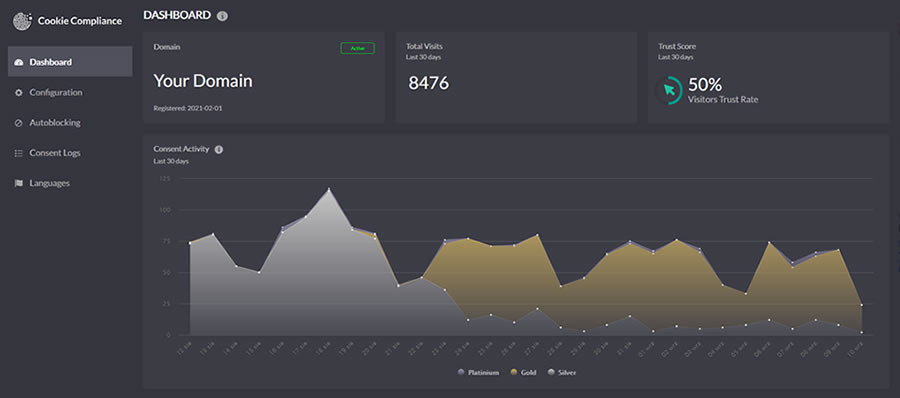
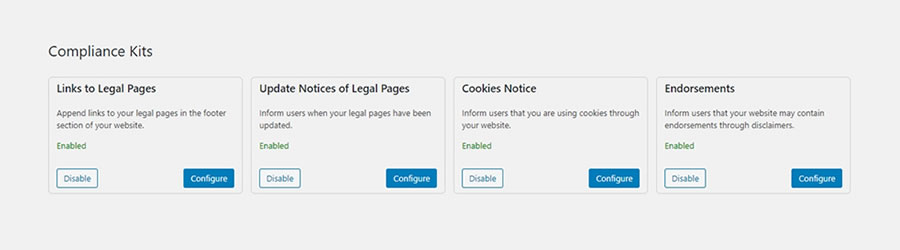
When running a business online, it’s important to make sure you follow the laws of your area, country, and internationally. The laws can differ depending on where you are and what kind of website you have. Thankfully, WordPress plugins can assist you in meeting these legal requirements.
Remember, these suggestions are not a replacement for real legal advice. If you have specific questions, it’s best to ask a professional who knows the law.
To help set you on the right legal track, we have a collection of WordPress plugins that can help with many of the different legal aspects of running a website. We’ve organized them by category to make it easier for you to find what you need. These plugins can be a big help in making sure your website is on the right side of the law.
Cookie Notice by dFactory provides an easy way to let your site’s visitors know about your use of cookies. You can customize a notice that will appear either on the top or bottom of the page. Users can accept, decline, or read more about your policies via clickable buttons.
Cookie Law Info will create a customizable banner to inform visitors of your cookie policies. The banner can be automatically removed after a few seconds, or you can require the user to accept your terms manually.
Privacy Policy & Terms of Service WordPress Plugins
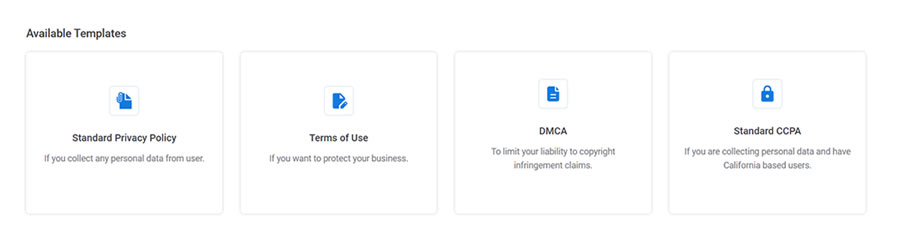
Auto Terms of Service and Privacy Policy brings these documents to your site. Simply add your organization’s info in the plugin settings and display the documents via a WordPress Shortcode. This plugin is meant for sites based in the United States.
WPLegalPages will generate a variety of must-have compliance documents for your website. The free version of the plugin includes a privacy policy, terms & and conditions, DCMA policy, and more.
Setup is simple – enter your business name and select which documents you want to generate. A cookie consent bar is also included. The pro version ups the ante with guided wizards, age verification, and popups.
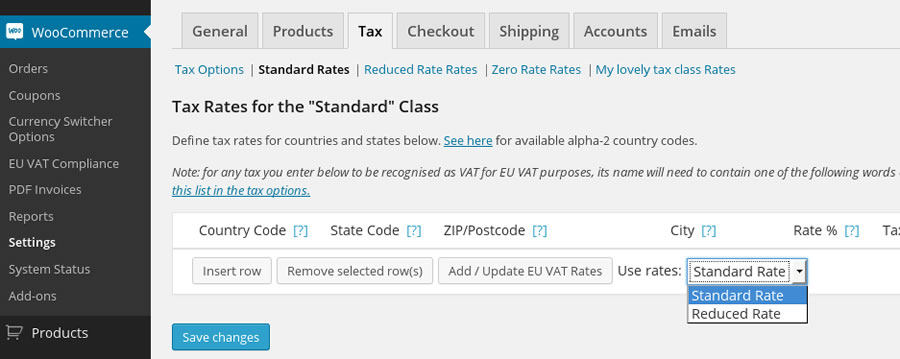
Those running WooCommerce can take the pain out of VAT with WooCommerce EU VAT Compliance. It will record a customer’s location, show VAT calculations in the backend, and automatically add VAT to product pricing. You can even block out EU customers if you’d rather not collect VAT at all.
EDD Quaderno helps to make Easy Digital Downloads shops compliant with VAT and the intricacies of other locales. It will also create improved versions of the standard EDD receipts. To use the plugin, you’ll need a Quaderno account.
Age Gate is a highly configurable plugin for restricting age-based content. Select the minimum age along with the content you want to protect, and underage users will be locked out.
Choose from a variety of user input methods (dropdown, text field, or yes/no buttons) and customize the look of the UI to match your website. The plugin is also SEO-friendly and won’t try to restrict common search bots.
Make age verification simple with Easy Age Verify. The plugin offers turnkey settings based on different types of website content. It’s also built with accessibility and SEO in mind. The pro version is fully customizable, with the ability to match your site’s look.
Adding a signature field to your Contact Form 7 forms is just a click away. Once you’ve installed and activated CF7Sign, a “Sign” field will be added to your forms’ options. There’s not much room for customization here, but it’s a dead-simple solution.
Keeping it Legal
Granted, it can be a bit of a hassle to keep track of compliance issues. But that doesn’t make it any less vital to do so. WordPress plugins are there to make the task a bit easier – even automating the process in some cases.
So, there’s no excuse for slacking! Take some time to learn your responsibilities as a website owner and use the handy plugins above to help you manage. Obviously, using these plugins alone won’t make you compliant – but they will help set you on the right path.
Legal Compliance WordPress Plugin FAQs
What Are Legal Compliance WordPress Plugins?
They are plugins designed to help your WordPress site adhere to legal regulations. They cover aspects like privacy policies, cookie consent, and terms of service requirements.
Who Needs Legal Compliance Plugins for Their WordPress Site?
Anyone who wants to ensure their site complies with legal standards, such as GDPR, CCPA, or other regional laws. This is particularly important for sites that handle user data or operate internationally.
Why Is It Important to Use Legal Compliance Plugins on WordPress?
They help protect you from legal issues by ensuring your website meets the necessary legal standards for data protection and privacy.
Can These Plugins Guarantee My Site Is Fully Legally Compliant?
While they significantly help in compliance, you should consult with a legal professional to make sure your site meets all specific legal requirements.
Are Legal Compliance Plugins Easy to Use and Set Up?
Most of these plugins are user-friendly, offering guided setup processes and pre-designed templates for legal documents.
Do I Need a Legal Compliance Plugin If My Site Doesn’t Sell Anything?
Yes, if your site collects any form of user data, including through contact forms or analytics tools, compliance with privacy laws is very important.
Creating an engaging presentation that captures the attention of potential business partners or clients is essential to ensure that your pitch resonates and achieves its intended objectives.
However, creating a presentation that meets these requirements can be time-consuming, especially if you are new to PowerPoint. PowerPoint templates significantly simplify the process, allowing you to focus on creating the content rather than worrying about the presentation’s layout and design.
The internet is teeming with free PowerPoint templates, so finding the one that fits your needs can take time and effort. Not all templates are created equal, so choosing the one with the perfect layout and design can be challenging.
In this collection, we have the best free PowerPoint templates that will help you quickly create a stunning presentation. These free templates will save you valuable time and provide easy customization options for layouts, fonts, and color schemes.
Whether you’re a startup founder looking to secure funding or a designer pitching a proposal to clients, these free highly creative PowerPoint templates will save you time and effort while ensuring your presentation looks fantastic.
Minimal PowerPoint Templates
These free minimalistic PowerPoint templates use simple, clean lines and muted color palettes to create a sophisticated and refined presentation style.
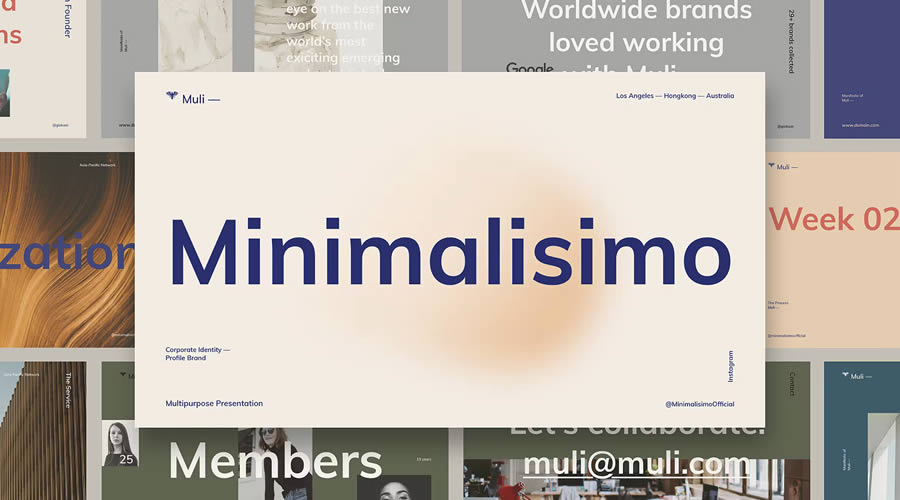
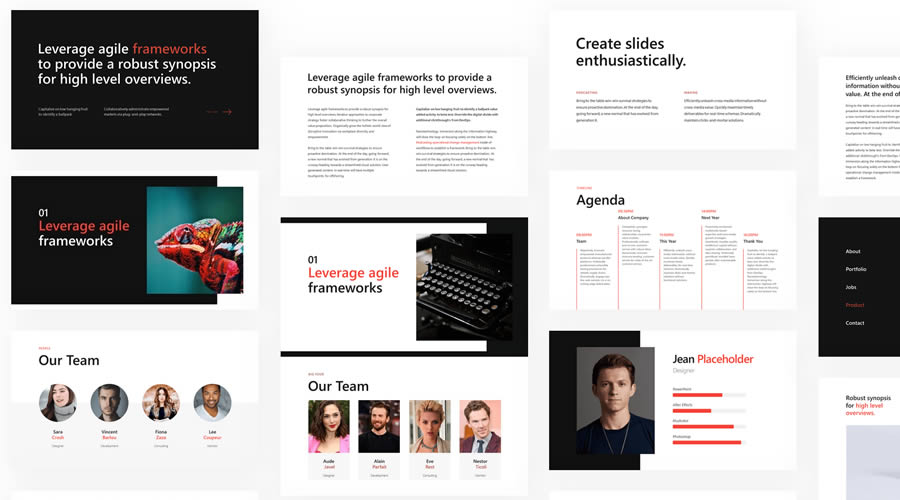
Muli combines minimalist design with creativity to give you a PowerPoint template that’s perfect for multi-purpose presentations. It also features smooth slide transitions and animations.
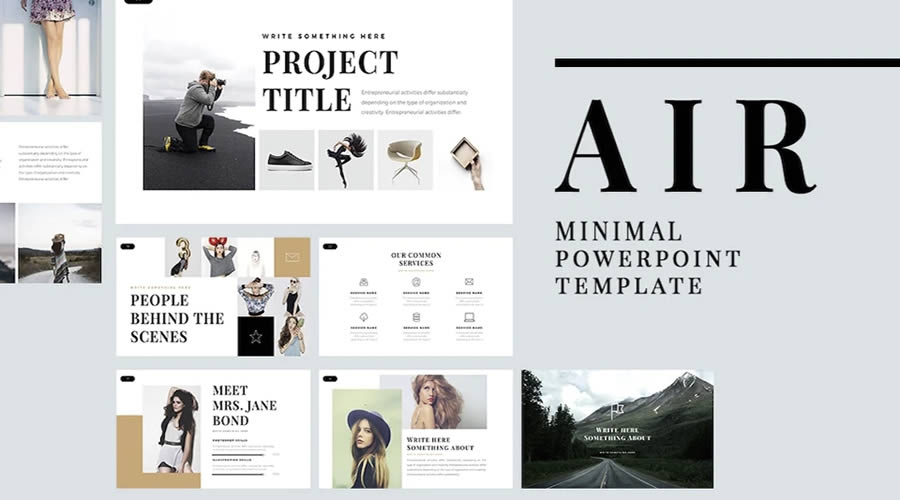
Air is a free PowerPoint template with a clean and minimal design. It has over 60 unique slides and has been designed in 16:9 format. This template is very easy to use and edit with Master Slides.
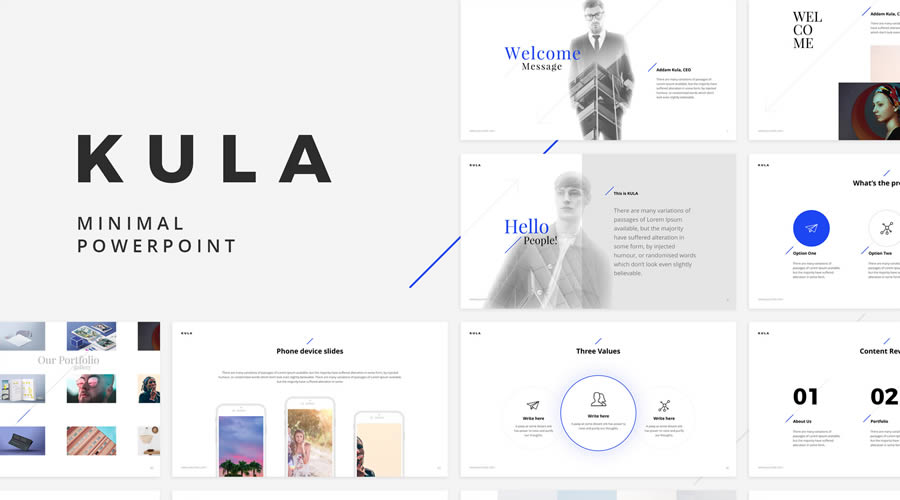
Kula comes with 90 unique slides and over 40 color schemes, which is a great starting point when designing your next presentation. You can also easily customize it to fit your needs.
The BeMind PowerPoint template features a clean, minimal design that is perfect for most business presentations. It includes over 100 slides, vector shapes, and Master Slides for quick customization.
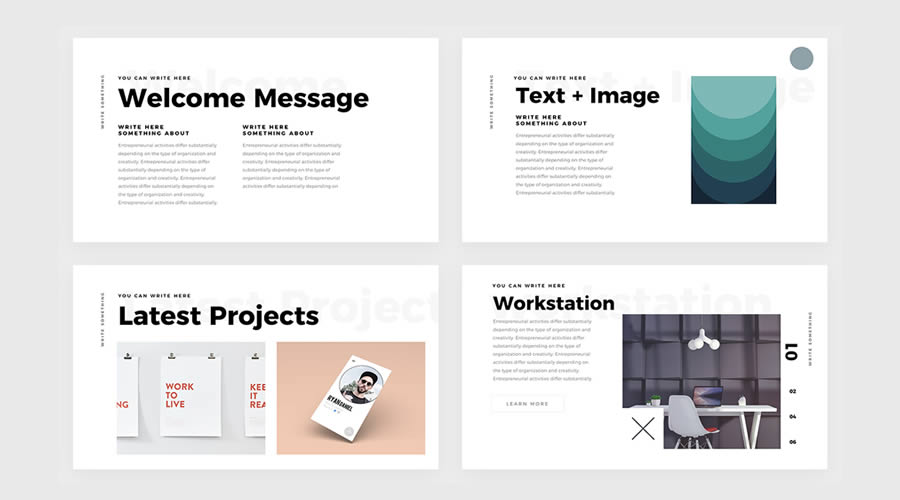
This PowerPoint template features big and bold typography, an ultra-minimal design style, and multiple presentation slides. It is perfect for creatives who need to pitch ideas to clients. This template can be downloaded for free.
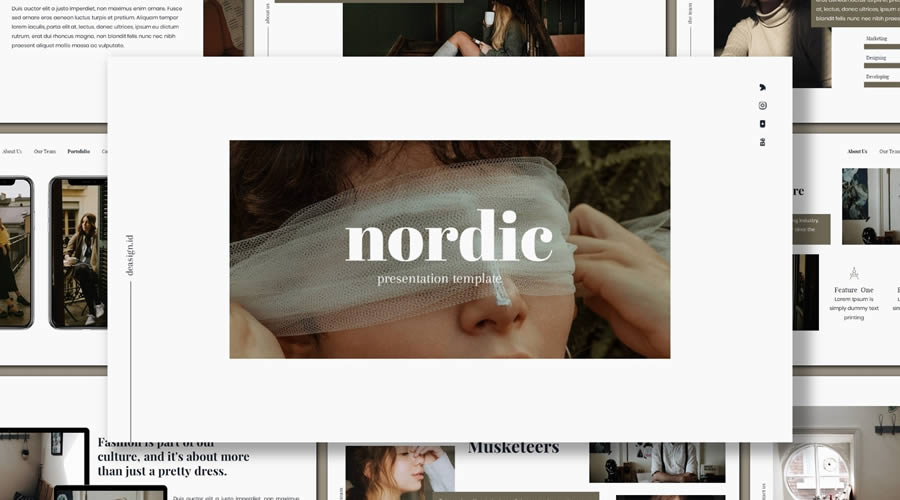
Inspired by Scandinavian design, the Nordic PowerPoint template has a minimalistic design with big and beautiful typography. It can be used for any type of business or creative presentation.
Clean PowerPoint Templates
These PowerPoint templates all look sharp and professional. They use clean layouts and neutral colors to communicate information clearly, making them ideal for business and academic presentations.
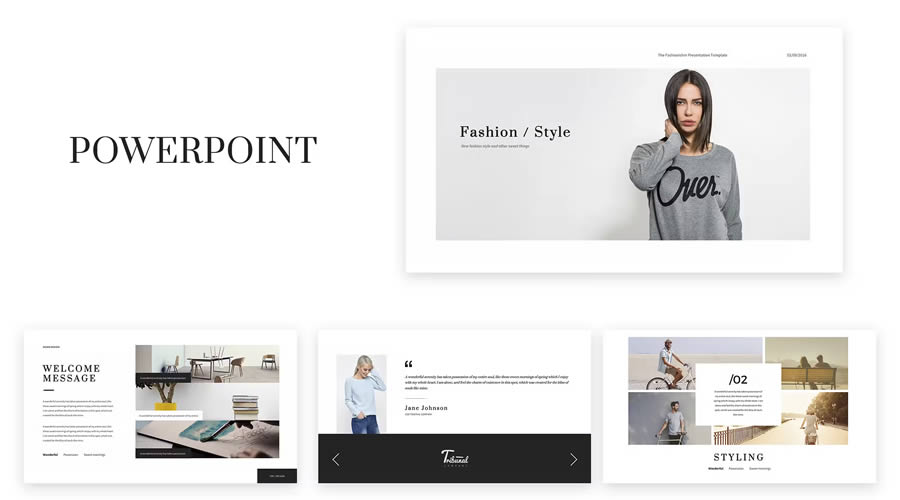
If you need to create a fashion presentation, look no further than this PowerPoint template. It comes with more than 50 stunning slide templates, and both PPT and PPTX files are included.
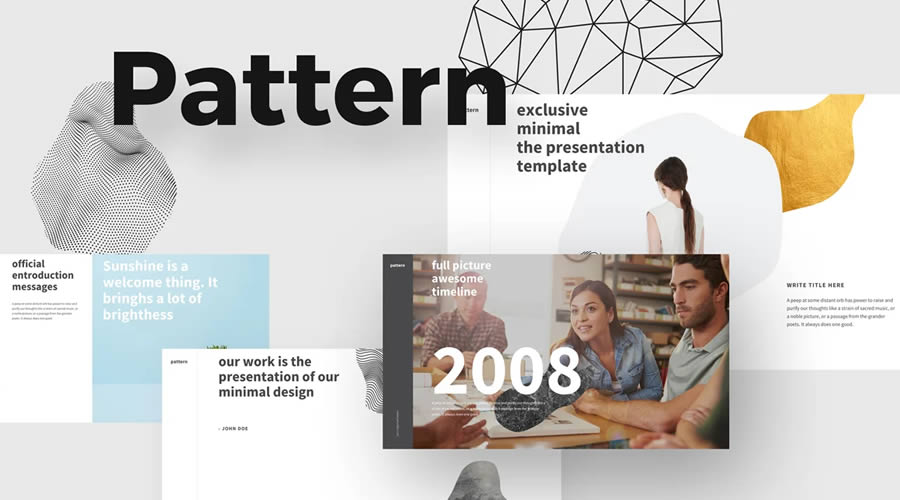
The Pattern PowerPoint template is an excellent choice if you’re looking for a clean and professional way to quickly create a presentation. It includes all the slides and components needed.
Kaspa is a highly creative PowerPoint Templatewith a grid-based layout and elegant typography. It includes over 50 slides, editable charts and graphs, and over 100 icons and glyphs. It is an excellent choice for fashion and beauty presentations.
The Look PowerPoint template is perfect for any fashion and beauty presentations, or anything that simply needs a touch of elegance. The template is in PPTX format and comes with more than 50 slides.
The Glide PowerPoint template includes 80 unique slides and everything you need to create a professional presentation. From cover slides to graphs and charts, this template will allow you to present your ideas beautifully.
Skyfy is a stylish PowerPoint template for any presentation. It has a modern, clean design and 100 unique slides. It is animated with some beautiful and smooth transitions.
Power has a clean and modern design and is an excellent choice if you need to create a presentation to showcase your business to potential investors or partners. This template includes over 120 unique slide designs, mutiple data charts, team member placeholders, vector icons, and much more.
Bold PowerPoint Templates
These templates use dark backgrounds with bold text and accents. They are perfect for creating dramatic statements and highlighting important information, making them ideal for presentations that need to make an impact.
X Note is a powerful PowerPoint template for any business presentation. It comes with over 40 slides and four pre-designed themes that can be quickly customized with Master Slides.
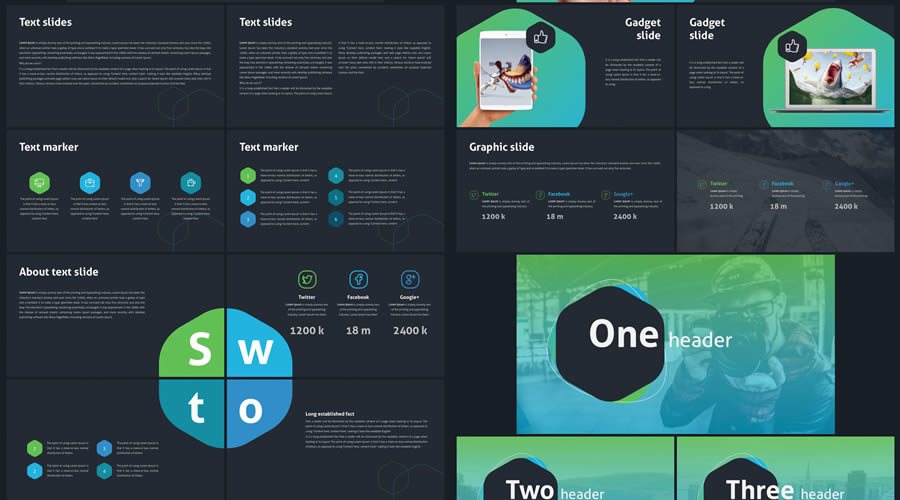
Revolution includes over 100 clean and professional slides. It features a modern green and blue color scheme and includes over 500 resizable icons. You’ll find text slides, image slides, and a combination of the two, as well as a variety of charts, tables, graphs, infographic elements, and more.
Colorful PowerPoint Templates
These creative PowerPoint templates use color and unique graphical elements to make your presentations lively and engaging. They’re ideal for industries that value creativity and innovation.
Ravi is a free PowerPoint presentation template with a clean, highly creative design. It includes a variety of slides for informative and engaging presentations. The Keynote version is also avaiable for free download.
Gravidient is a creative PowerPoint template with a dark, modern design. It includes over 50 slides and multiple components for creating any type of presentation. Everything can be edited using Master Slides.
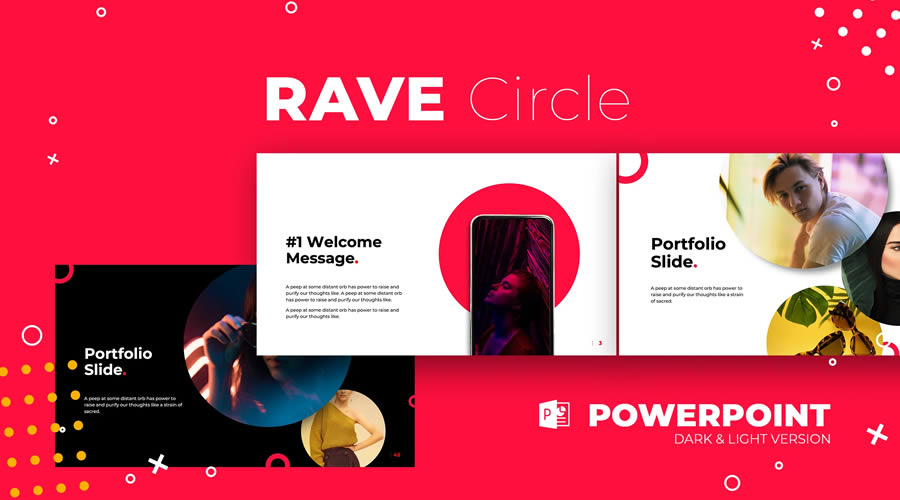
Rave is a PowerPoint template with a stylish and bold design. It comes in both dark and light versions. You can use it for any type of presentation and it is very easy to customize to fit your personal or business branding.
You can make your presentation stand out with this free attention-grabbing PowerPoint template that beautifully makes use of the duotone effect. This template is easy to edit, and you can quickly customize the effects and content to match your brand.
The Warwick PowerPoint template makes excellent use of subtle green and blue tones, making it perfect if you need to relay information about financial or security matters. You’ll find 25 different slides, pre-designed styles for graphs, charts, and tables, as well as a customizable icon family with 80 different icons and a world map.
This free PowerPoint template is perfect for anyone in the food industry. It uses plenty of whitespace paired with a lovely shade of yellow to make your food photos the center of attention. This template comes with 32 slides in 16:9 format and includes 20 stock pictures and two additional color schemes.
Simple PowerPoint Templates
These templates offer basic layouts and simple design features, making them versatile for any presentation where the focus is purely on the content without additional stylistic flair.
The free PowerPoint template has 36 slides, including covers, contents tables, timelines, diagrams, charts, images, maps, and icon sets. It also includes easily editable pre-designed color schemes.
With its stylish and feminine design, the Bronx template will grab the attention of any viewer. This template includes 35 slides designed in 16:9 format and includes many elements such as resizable icons, free fonts, flowcharts, and text and image slides.
The Katharine PowerPoint template is an excellent choice for anyone looking to present their past design projects. With a heavy focus on imagery, it is perfect for designers, illustrators, photographers, and creatives. The template includes 17 different slides, predesigned styles for graphs, charts, and tables, 80 customizable icons, and a world map.
This duotoned template is perfect for modern presentations. Designed with lawyers and attorneys in mind, it can help you make your case. It includes 25 different slides that are easily editable and designed to fit a 16:9 format.
If you’re looking for a simple and minimal template, look no further than iSlide. This template has plenty of whitespace and subtle pops of color that make it easy to focus on the content of your presentation. You’ll find over 20 unique slides, drag-and-drop placeholders, and resizable icons and shapes.
This template features a minimal design with a Material Design color scheme and includes over 50 unique slides. The template fits the 16:9 format and has resizable vector icons, charts, maps, and dark and light versions.
How to Install or Import a PowerPoint Template
To install or import a PowerPoint template, follow these simple steps to ensure it’s ready for use in your presentations:
Download the Template: Start by downloading one of the PowerPoint templates from this collection.
Open PowerPoint: Launch PowerPoint on your computer.
Access the “Personal” Tab: Click on File, then Open, and select This PC. Click Browse and navigate to where you saved the downloaded template file.
Import the Template: Click on the template file to select it, then click Open. This will open the template as a new presentation.
Set as Default Template (Optional): If you want this template to be the default template for new presentations, after opening the template file, click File, then Save As, and choose PowerPoint Template. Save it in the Document Themes folder.
Use the Template: To start a new presentation using the installed template, open PowerPoint, go to the File menu, select New, and then click Custom or Personal depending on your version of PowerPoint. You should see your template listed there. Click on it to start a new presentation based on the template.
Free PowerPoint Template FAQs
How do I choose the best PowerPoint template for my design presentation?
Look for templates that offer flexibility in design elements like fonts and color schemes and include layouts suitable for your content.
Are these free templates good enough for professional creative presentations?
Yes, they are. They can be a solid starting point, especially when customized to fit your project needs.
How can I make a template reflect my personal or brand style?
Customize the template by using your brand’s color scheme, fonts, and adding your logo. Most templates allow easy adjustments to these elements.
What’s the best way to showcase my portfolio in a PowerPoint template?
Choose templates with clean, spacious layouts for your slides, and use high-quality images of your work. Consider templates with built-in portfolio sections.
Can I use animations in my creative presentations?
Yes, animations can add dynamic interest to your presentation. Use them sparingly to highlight key points or to transition smoothly between sections.
How do I ensure my creative work is the focus in the presentation?
Select a template with minimal distractions and ample space for large images or videos. Your creative work should be the star of each slide.
Can PowerPoint templates accommodate videos of my design work?
Yes, many templates are equipped to embed videos directly into the slides, allowing you to showcase motion graphics or video projects.
These free PowerPoint templates will help you maintain a uniform design in your presentations, allowing you to focus solely on the content and delivering your message.
As you can see from the examples above, there are free PowerPoint templates available for any type of presentation. Use this collection as a starting point and download the perfect free PowerPoint template to help you create and deliver a fantastic presentation.
Fetch.ai has launched ASI-1 Mini, a native Web3 large language model designed to support complex agentic AI workflows. Described as a gamechanger for AI accessibility and performance, ASI-1 Mini is heralded for delivering results on par with leading LLMs but at significantly reduced hardware costs—a leap…
As the AI industry focuses on transparency and security, debates around the true meaning of “openness” are intensifying. Experts from open-source security firm Endor Labs weighed in on these pressing topics. Andrew Stiefel, Senior Product Marketing Manager at Endor Labs, emphasised the importance of applying lessons…
Artificial intelligence (AI) benefits web developers and power users alike. As AI tools evolve, we’re finding more uses for them. The technology is touching design, development, content creation, user experience, and more.
That should excite those of us working with WordPress. AI improves efficiency by simplifying even the most complex tasks. Tools like ChatGPT and Claude generate and audit code, analyze data, and serve as references. And that’s just the beginning — the possibilities seem endless.
With that in mind, let’s examine ways AI can speed up your WordPress workflow. We’ll share prompts to help both casual users and experts.
The goal is to create processes to help you get more done in less time. You can also take the sting out of repetitive tasks and use AI’s knowledge to improve your work. The result is a smoother and more agile WordPress experience.
Let’s start by using the power of AI to work with content. We’ll focus on analyzing and improving existing WordPress content. That helps with SEO and will make quick work of other common tasks.
Create a Blog Post Excerpt
Post excerpts provide a summary of a piece of content. They’re often displayed on blog indexes and archive pages.
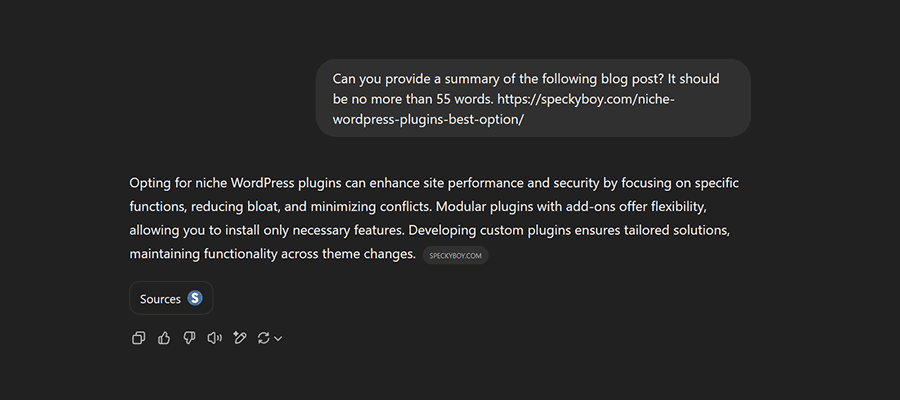
By default, WordPress will create an excerpt using the first 55 words of a post. However, that doesn’t always reflect its subject matter. It also looks sloppy when compared to a custom excerpt.
We can use AI to analyze a post and generate a custom excerpt.
Prompt:
Can you provide a summary of the following blog post? It should be no more than 55 words. [url]
Create an Outline of a Blog Post
You can also use AI to create a more in-depth WordPress post or page outline. It’s useful for email newsletters or summarizing longer articles.
You can control the length of the outline, as well as its formatting. Other options include fetching important links within the content.
Prompt:
Please create an outline of the following article. The outline should include 2-3 paragraphs of text, a list of key points, and a list of URLs linked within the article. [url]
Suggest a More Engaging Title
Determining the best title for your content can be challenging. Perhaps you have a “working” title but want something better. AI can suggest alternatives that better serve your audience and search engines.
Prompt:
Please suggest alternate titles for the following article. [url]
What if your blog post hasn’t been published? You may also copy and paste the text of the article into an AI tool.
Generate a Featured Image for a Blog Post
A stock photo isn’t always the best fit for a blog post’s featured image. Why not give your favorite AI tool a chance? For example, ChatGPT will analyze your content and create a relevant image.
The process isn’t foolproof. Image generation tools often make grammatical mistakes. There may also be limits on image sizing. Thus, you might have to experiment to get things right. The results can be compelling, though (we generated one for this post).
Prompt:
Can you generate a featured image for this article? [url]
Prompts to Help WordPress Developers
Let’s shift to how AI can make life easier for developers. We’ll show you how to start fast on projects, troubleshoot buggy code, and more.
Generate a WordPress Plugin Template
Here’s a way to save time when starting a custom WordPress plugin project. Ask AI to generate a starter template (boilerplate). It provides all the basics and lets you focus on writing code.
Give the AI tool as many details as you like, and it will do the rest. The more specifics you provide, the better the result.
Prompt:
Create a WordPress plugin template. The plugin is called [plugin name]. Include [name] as the author. The author's URL is [url].
Troubleshoot a Buggy Code Snippet
Debugging a code snippet can be maddening. Even the smallest of issues can prevent things from running smoothly. Determining the cause could take hours. Thankfully, AI takes the pain out of the process.
Copy and paste your code snippet into the tool, along with any error messages. You’ll receive a list of possible causes and can generate a revised version of your snippet for testing.
Prompt:
Please inspect the following code snippet. I'm receiving the following error [error message]. [code snippet]
Some bugs are more difficult than others. Thus, fixing your issue may require a few rounds of troubleshooting. Add relevant information about errors and what your code is trying to accomplish.
Improve Your Code’s PHP Compatibility
Major versions of PHP are released regularly. That means your legacy code may not be compatible with the latest version. AI can help by refactoring your code.
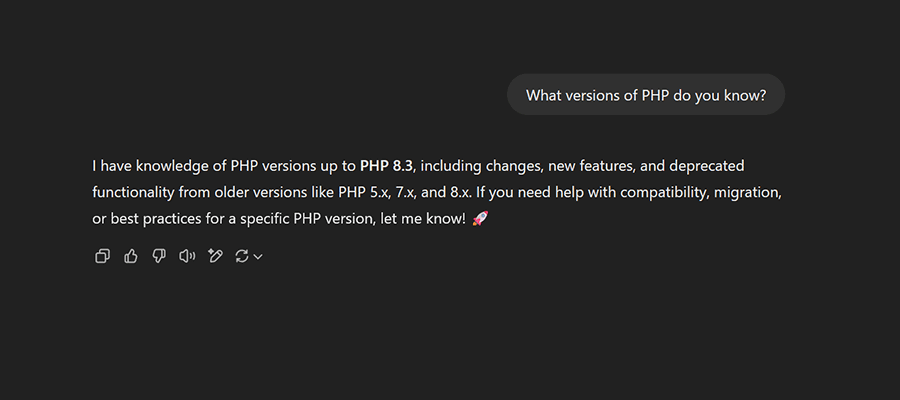
Provide a copy of your code and include the PHP version number you’re checking. Note that some AI models may not have “learned” the latest version of PHP yet. In that case, choose a version it knows (you can even ask for details).
Prompt:
Please inspect the following code for compatibility with PHP [version number]. Point out any potential issues and suggest fixes. [code snippet]
Write a Custom Post Query
The WordPress Block Editor includes a Query Loop block. However, its range is limited. Tasks like fetching multiple post types require a custom query.
Custom queries can be stashed in a classic theme template or a plugin. They offer the ultimate flexibility regarding what data you can fetch and how it’s formatted. It’s also hidden beyond the reach of your clients.
AI makes quick work of writing a custom query. Provide the parameters of your query, paste the generated code, and move on with your day. Simple!
Prompt:
Create a WordPress query with the following parameters:
Included Post Types: [slugs of post types to include]
Number of posts: [number]
Excluded the following categories: [slugs of categories to exclude]
You might also add prompts for custom fields (meta keys), post order, pagination, and more. Displaying custom data in the query results is also possible. View the full list of query parameters in the WordPress documentation for details.
Let AI Give You a Helping Hand
The tasks above have varying degrees of difficulty. But they all take up precious time. The good news is using AI can save you bundles of it.
Even better is we’re only scratching the surface of what’s possible. For example, we’ve also used AI to write a complex database export. We suggest browsing Dave Ryan’s GitHub Gist of AI prompts for WordPress for more possibilities.
There is a lot of room for experimentation. So, think about how you work with WordPress. Are there any tasks that frustrate you? What gets in the way of building the site you want? AI might be the answer.
DeepSeek, a Chinese AI startup aiming for artificial general intelligence (AGI), announced plans to open-source five repositories starting next week as part of its commitment to transparency and community-driven innovation. However, this development comes against the backdrop of mounting controversies that have drawn parallels to the…
Competition in the WordPress space is fierce these days. Agencies and freelancers from every corner of the globe are looking for clients, and even those with a profitable niche aren’t immune from a saturated market.
Then there’s the evolving software and ecosystem. Just when you think you have the right workflow, it’s disrupted by AI, a change to Gutenberg, or another newfangled tool. And we can’t forget the responsibilities of managing website security, accessibility, and privacy. The challenges are never-ending.
That’s why long-term success isn’t a given. The things you’re doing today will undoubtedly change tomorrow. Some may disappear.
So, how can you improve your chances of being in business five or ten years from now? What separates the agencies that flame out from the ones that keep growing?
That’s what we’re here to discuss! Let’s look at some tried-and-true methods for thriving in a competitive industry. Each will help you build something that lasts.
Develop Expertise in Your Niche
Modern web development – even within WordPress – is a vast subject. Thus, being a generalist means keeping track of an enormous number of technologies. Who has time to do that and work with clients?
Narrowing your focus to a specific niche is better for your sanity and bottom line. And you don’t have to limit yourself to a single type of client or website. Picking a few related areas – WooCommerce and membership sites, for example – offers plenty of room for growth.
There are often similarities in these niches. Using our example, both WooCommerce and membership sites share things like:
User/customer management;
Payment processing;
Sending customer communication via the website or a third-party service;
Adding custom functionality to meet client needs;
Some solutions can be applied to multiple areas. That means using the same plugins or custom code across your projects. It’s better for efficiency and helps clients achieve their goals.
The other advantage is that you’ll develop a higher level of expertise. You’ll know what clients need and how to solve their pain points. That’s knowledge you can use again and again.
In addition, you’ll have the confidence to communicate what you’ve learned. For example, writing expert blog posts or speaking at events. Sharing your experience and depth of knowledge serves to enhance your reputation. Existing clients will recommend you, and new ones will want to work with you.
Identify the Right Opportunities to Level Up
There’s always something new in the world of WordPress. New features are added to the core app, while the plugin and theme market continue to expand. Plenty of artificial intelligence (AI) integrations are also part of the landscape.
It’s tempting to jump on the next big thing. You might see it as an opportunity to launch your business into the stratosphere. However, it’s important to consider how these tools and services fit into your plan.
Sometimes, going all-in on new technology distracts from your core mission. That results in stagnation for the other parts of your business.
On the other hand, the right opportunity adds to what you do best. Perhaps it’s a service that will benefit you and your clients or a technology that saves you time. These items help you level up rather than send you down a rabbit hole looking for gold.
That doesn’t mean you shouldn’t consider things that pique your interest. But it’s worth looking at how they impact your business – now and in the future. Identify the ones that will take you where you want to go.
Add Sources of Recurring Revenue
New clients are a big part of running a successful agency. They add to your portfolio and your bank account. But they’re also increasingly difficult to get.
The reality is that booking new clients can’t be your only source of income. You need something to keep you afloat during slow periods. For instance, an economic downturn may cause an organization to delay that fancy new project. What will you do then?
You can improve your business’ stability by adding recurring revenue. It’s a way to keep existing clients in the loop and improve your financial picture.
Services like website maintenance (WordPress sites need frequent updating) or search engine optimization (SEO) allow you to charge a monthly or yearly fee. It provides you with a steady income and keeps client websites healthy. It’s a win-win situation.
This arrangement works with clients of every size. You can create tiers of service based on need. So, a client with fewer needs pays a little less. Meanwhile, a larger client pays a higher fee for a more robust service.
The other benefit is it keeps an open line of communication with clients. They’ll stay more focused on their website and be more likely to spend on new features.
Find ways to add recurring revenue to your business. It will keep you busy and financially stable, year after year.
Put Your Clients First
Providing great customer service is a winning strategy in any era. It’s a quality that, when all else fails, separates you from the competition. And it’s not as difficult as you may think.
Customer service is all about honesty, integrity, and sincerity. Treat your clients with respect and common courtesy. Follow through on the promises you make. Go the extra mile to make sure their needs are taken care of. These little things add up to something big.
The relationships you build can be meaningful. Your clients will see you as a partner in their journey. That means they’ll stay with you – even if a competitor offers a lower price.
They’ll ask your advice on improving their website and trust your opinion. It’s an opportunity to help them grow while adding to your workload.
There’s nothing specific to WordPress with this strategy. However, think of it as providing a realistic view of tools and techniques. For example, you might explain the pros and cons of using a plugin or theme or assessing which web host is best for their needs.
Building such relationships takes time. But that’s perfect if you’re interested in long-term success.
A WordPress Agency That’s Built to Last
Whether you’re thinking about starting a WordPress agency or you’ve been around for a while – success is still possible. The keys are finding your place in the market and keeping an open mind. Opportunities to improve are always around the corner in this evolving industry.
Having top-notch design and development skills helps. However, they’re not the only factors. You’ll also need to focus on building great relationships with your clients. That can lead to a steady flow of recurring revenue.
In addition, don’t be afraid to set short and long-term goals. They give you something to work toward as you navigate your business.
Before you know it, years will have passed, and your business will continue to thrive. That’s the peace of mind and security agency owners and freelancers are looking for.
Former OpenAI CTO Mira Murati has announced the launch of Thinking Machines, a new AI research and product company. With a mission to democratise access to AI and create systems that are both customisable and capable of working collaboratively with humans, the startup is setting ambitious…