
How to Onboard Your Clients With WordPress — Speckyboy

WordPress powers websites of all sizes and across industries. As such, the content management system (CMS) has a diverse user base. People from all walks of life use it to publish, sell, and share their ideas.

That poses a challenge for freelancers and agencies. Educating clients on the finer points of WordPress is a personal affair. We must tailor our message to match our audience.

New users are of particular importance. WordPress, like all software, has a learning curve that can be overwhelming to some. There are obstacles for those wanting to manage their website.

So, how do we effectively onboard clients? Here are some tips to help you help them.

Streamline the Site Management Experience

One key to successful training is building a website that’s easy to manage. The good news is that WordPress is flexible. You can create a site management experience geared for your clients.

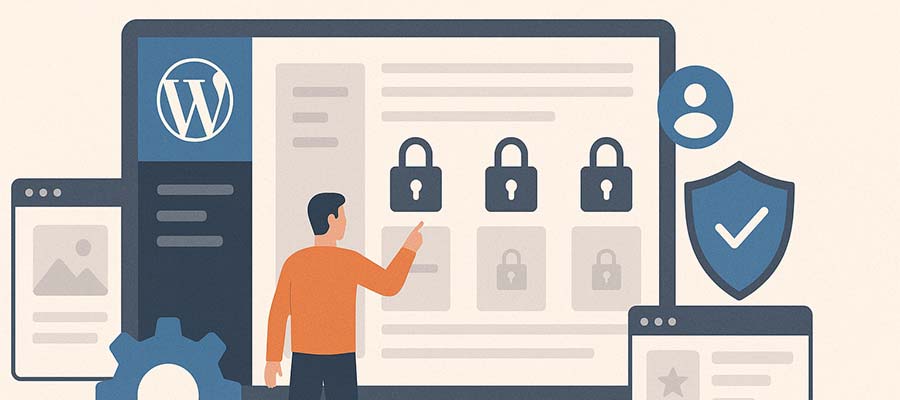
The first step is to build features that don’t require expertise to manage. For example, create page layouts that are resilient and not easily broken. Use the WordPress locking feature to prevent blocks from accidentally being deleted or moved.

The rule of thumb is: If it’s a pain for you to update, it’s too hard for your client. Remember that in all you do.

Then there’s the WordPress admin area. It’s easy to get lost in the many navigation items and dashboard widgets. We can reduce this by assigning a less privileged user role. For example, an Editor account will see fewer menu items and have limited access to site-breaking settings. Some available plugins make the dashboard a friendlier place for clients as well.

Taking these steps greatly reduces the learning curve. And you can do it before your client logs in for the first time.
How to Onboard Your Clients With WordPress — Speckyboy

Get to Know Your Client’s Comfort Level

Take time to get to know your client. You’ll learn a lot about them during the project’s strategy, design, and build phases.

For instance, try to gauge their comfort level with technology. Are they good with gadgets? Does their job require the use of online tools? Do you notice them struggling with technical tasks?

This information will help you design a training process that meets their needs. You can determine potential roadblocks and how to avoid them.

Clients who are inexperienced with technology generally need a bit more hand-holding. That means focusing on the basics, like logging in and navigating within WordPress. Then it’s time to tackle the likes of the Block Editor.

Meanwhile, you can gloss over the basics when training someone with WordPress experience. A short overview won’t hurt, but you can spend more time on other areas.

Educating clients isn’t a one-size-fits-all proposition. Personalize the experience as much as possible.

Personalize your training session to meet your client's comfort level.

Focus On What Clients Need to Know

WordPress is a vast subject, and your knowledge may run deep. That doesn’t mean your clients have to know it all. It’s probably better that they don’t.

Why? Managing their website is yet another thing on a client’s to-do list. They don’t have the mental bandwidth to learn the history of WordPress or how everything works.

Thus, your training should focus on what they need to know. Think about the tasks they’ll perform and the areas of WordPress they’ll use most. This is the best way to spend the bulk of your training session.

For example, a client who publishes press releases will need to understand WordPress posts and taxonomies. Details such as uploading featured images and choosing post categories are important.

Meanwhile, a client who wants to create photo galleries will need to understand the workflow. Focus on the gallery plugin you’re using or building native galleries in the Block Editor. Other aspects of the task, like image optimization, are also worth discussing.

The idea is to provide relevant information while avoiding topics that will overwhelm your clients. You only have so much time for training, so make every second count.
Focus your training on the tasks your clients will perform.

Provide Reference Materials for After Training

Training clients means filling their heads with instructions. There’s only so much knowledge that can be absorbed in an hour. Inevitably, some things will be forgotten when they try to do it themselves. Infrequent tasks can also lead to missing the finer details the next time they log in.

Reference materials help clients to refresh their knowledge. It’s something they can look to when they have a question. It may even save you from a panicked email or two. That alone makes it worth your efforts.

The most obvious item is a recording of your training session. If you use an app like Zoom, record the meeting and post it online (get your client’s permission first). You can also use an AI notetaking app to email a summary of the meeting. It’s a nice touch and will come in handy.

Screencasts are also a helpful resource. Record yourself performing relevant tasks and put them on a private page. Your clients can see exactly how things are done. You can even reuse them for different clients if the subject is broad enough.

There’s also plenty of WordPress tutorials available. Sites like the official Learn WordPress courses offer videos for users of all experience levels. And YouTube is full of videos highlighting various tools and techniques.

Reference materials are helpful and a way to increase revenue. Add the cost of creating tutorials to your site-building packages. It’s an extra service that benefits everyone.
Reference materials like video guides come in handy for clients.

Be a Friendly, Open Guide

The final ingredient to onboarding clients has little to do with technology. It’s more about being a patient and kind teacher. That, as much as anything, will help your client learn more effectively.

There are a few simple rules:

  • Explain concepts and instructions in plain language.
  • Go slowly and avoid unnecessary steps.
  • Ask your client if they have questions and leave room for them to ask.
  • Show empathy and put yourself in their shoes.
  • Provide positive feedback.

We get it, you’re busy. Client training is one of many tasks you need to finish. Regardless, don’t forget the human touch when teaching.

Remember, a positive training experience also strengthens your relationships. Clients won’t hesitate to recommend you to others and will stay with you for years to come.

Patience and empathy help ensure successful client training.

Use Your Expertise to Empower Clients

Content management systems such as WordPress allow clients to manage some or all aspects of their website. It’s a powerful tool for connecting them to the world.

Many will need a helping hand along the way; that’s where we come in. Web professionals act as guides to the software’s functionality. We show clients the whys and hows so they can accomplish their goals.

Teaching clients is rewarding but challenging. Every person has a different learning style and experience level. Not everyone “gets it” right away.

However, a little preparation can create positive results. Take time to understand your client’s comfort level with technology. Determine what they need to know about WordPress. Provide resources they can reference later. Most of all, exercise patience when teaching.

Together, you’ll help them gain the skills they need to flourish. They’ll feel empowered, and you’ll have that warm, fuzzy feeling inside!
Related Topics


Can AI Site Builders Make WordPress Easier? — Speckyboy

Getting started with WordPress is challenging. You install the app, log in, and… then what? Many first-time users face this conundrum – the next steps aren’t obvious.

The content management system (CMS) becomes easier as you navigate its learning curve. But it’s worth wondering how many people give up before they reach that point.

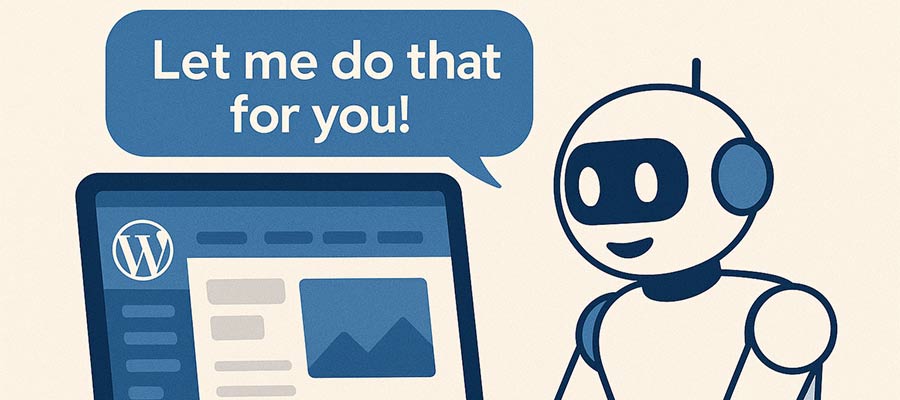
Technology may have a solution. AI-powered site builders are starting to infiltrate the market. They aim to make it easier for non-developers to build a website by answering a few questions.

Perhaps they sound like yet another attempt at a DIY tool, something else to replace web designers. This makes sense on the surface. However, AI has the potential to break down some longstanding barriers to using WordPress. If so, they could be useful to professionals and novices alike.

With that in mind, let’s explore the potential of combining AI with WordPress. We’ll look into the future and make a few guesses as to what’s to come.

WordPress Lacks a Great Onboarding Experience

Before we dig into AI’s potential to help WordPress users, we should define the problem that needs to be solved. Logging into WordPress for the first time is like being dropped into the wilderness.

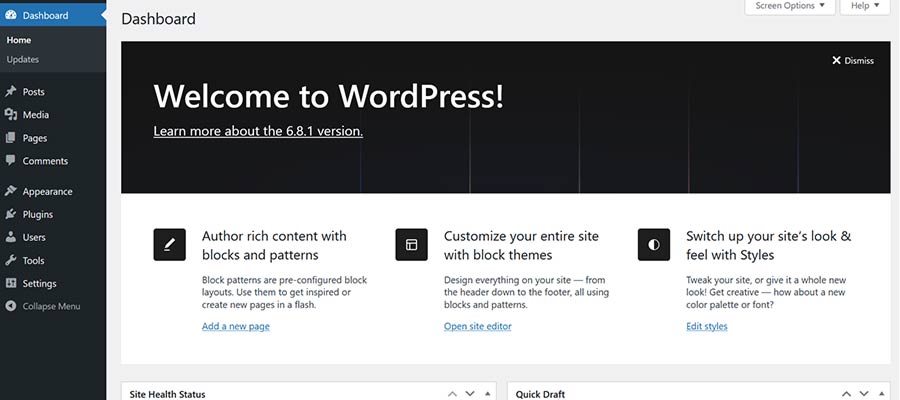
There’s a welcome message at the top of the dashboard and a hefty menu on the sidebar. Both will lead a curious user to explore. However, some may be overwhelmed by the number of options.

Plus, they’ll need to know at least something about these aspects of WordPress:

  • Where to find and install themes and plugins.
  • How to edit their theme via the Site Editor (block themes) or Customizer (classic themes).
  • How to use the Block Editor to create pages and posts.
  • Any site settings they need to change.
  • Best practices for security and performance.

Learning WordPress requires commitment. The default onboarding doesn’t put people on that path.

It’s also a burden on web professionals. Setting up a new site means a lot of repetitive tasks, and we’re also responsible for training clients to use the software. All told, we spend significant time doing things other than site building.

Better onboarding could make all the difference.

Can AI Site Builders Make WordPress Easier? — Speckyboy

How AI Could Improve the User Experience

In broad terms, an AI site builder is an onboarding tool. Its mission is to learn about your website needs and produce something relevant. So far, the results of these tools have been mixed.

Good or bad, the result isn’t a finished product. It’s a foundation to build upon. We can take what’s there and go further, whether via “chatting” with a bot or doing it ourselves. But the story doesn’t have to end there.

The potential lies in catering to various niches. The current generation of builders tends to focus on non-developers, people who want to build a quick and cheap website. They’re a one-size-fits-all proposition.

However, there’s room to make these tools more specialized. For instance, a site builder aimed at professionals may focus on things developers want. That could include pre-configured website blueprints that install a theme, plugins, and other custom tweaks.

Consider the time we spend getting ready to build a website. The right tool could do these tasks for us, saving time and money. A simple text prompt could check several steps off our to-do list.

AI is already splitting into several subgenres. We have models trained for coding, education, and business. Adding tools for freelancers and agencies follows this trend.

Meanwhile, tools for non-developers also have greater potential. They may recommend plugins (or categories of them) based on industry or other user input. Perhaps uploading a logo helps AI create color and typography schemes.

In addition, these tools can go beyond the initial site build. AI might also help users learn to create and manage content. A tool could provide tips and relevant content from the Learn WordPress archives. They could perform routine checks to keep WordPress as secure as possible.

AI site builders aren’t necessarily doing these things today. However, service providers will recognize the opportunity to do more. A little imagination will go a long way.

An AI site builder could benefit WordPress novices and professionals.

An Opportunity to Improve WordPress for All

The term “site builder” may make you cringe. We won’t blame you – these tools have a checkered history of spotty quality and dubious value. Besides, web professionals aren’t their target market.

That could change as more AI-powered products come online. For example, WordPress.com recently released a tool that will reportedly become part of the self-hosted (WordPress.org) version. Such an open-source app could be tailored to all sorts of interesting uses.

The idea of a site-building tool could be turned on its head soon. If done right, it could solve one of the most frustrating aspects of learning WordPress, not to mention a productivity boost for web developers.

Let’s hope AI helps us take the next step toward making WordPress easier for everyone.

Related Topics


AGI Is Not Multimodal

"In projecting language back as the model for thought, we lose sight of the tacit embodied understanding that undergirds our intelligence." –Terry WinogradThe recent successes of generative AI models have convinced some that AGI is imminent. While these models appear to capture the essence of human…

DeepSeek-V3 Unveiled: How Hardware-Aware AI Design Slashes Costs and Boosts Performance

DeepSeek-V3 represents a breakthrough in cost-effective AI development. It demonstrates how smart hardware-software co-design can deliver state-of-the-art performance without excessive costs. By training on just 2,048 NVIDIA H800 GPUs, this model achieves remarkable results through innovative approaches like Multi-head Latent Attention for memory efficiency, Mixture of…

AI Acts Differently When It Knows It’s Being Tested, Research Finds

Echoing the 2015 ‘Dieselgate’ scandal, new research suggests that AI language models such as GPT-4, Claude, and Gemini may change their behavior during tests, sometimes acting ‘safer’ for the test than they would in real-world use. If LLMs habitually adjust their behavior under scrutiny, safety audits…

Any AI Agent Can Talk. Few Can Be Trusted

The need for AI agents in healthcare is urgent. Across the industry, overworked teams are inundated with time-intensive tasks that hold up patient care. Clinicians are stretched thin, payer call centers are overwhelmed, and patients are left waiting for answers to immediate concerns. AI agents can…

If Your AI Is Hallucinating, Don’t Blame the AI

AI “hallucinations” – those convincing-sounding but false answers – draw a lot of media attention, as with the recent New York Times article, AI Is Getting More Powerful, But Its Hallucinations Are Getting Worse. Hallucinations are a real hazard when you’re dealing with a consumer chatbot….

TurboLearn AI Review: The Ultimate Study Hack for Students

What if you could turn a 60-minute lecture into a study guide, flashcards, a quiz, and even a podcast in minutes? You’re in luck, because that’s exactly what TurboLearn AI does. Built by two college students who were tired of spending more time organizing their study…