
Adobe launched Experience Platform Agent Orchestrator and announced new enterprise capabilities for Adobe Express at its annual Adobe Summit conference in Las Vegas on Tuesday. The new offerings aim to help businesses orchestrate AI agents for customer experiences and streamline content creation processes amid growing demands…
40+ Best Free Photoshop Pattern Packs for Creatives – Speckyboy
Pattern packs are collections of designs you can use to add textures and distinct styles to your projects in Photoshop. They come in the form of .PAT files and allows for quick and easy application of complex patterns and textures to your digital art or graphic design.
The designs in these pattern packs vary, including everything from intricate geometric shapes and elegant floral designs to natural textures like wood grain or fabric. The variety ensures that you can find something to suit your project’s needs. Using pattern packs not only saves you time but will also help improve the finest details of your design, helping you create more engaging and professional-looking work.
In this collection, we share the best free Photoshop pattern packs available for designers and digital artists. They will all be powerful additions to your digital toolkit!
Fabric Pattern Packs for Photoshop
These pattern packs offer a variety of different textiles, such as silk, denim, and cotton. Each pattern will add a realistic effect to your digital art, adding depth and the appearance of actual fabric textures.
Geometric Pattern for Photoshop
These Photoshop pattern packs include everything from basic grids to intricate mosaics. They are perfect for projects that need a structured and contemporary aesthetic.
Paper Pattern Packs for Photoshop
Ranging from smooth, high-quality stationery to rough, recycled paper, these Photoshop pattern packs are ideal for subtle digital art effects and background use.
Retro Pattern Packs for Photoshop
Influences range from the 1960s to the 1980s, these Photoshop packs feature colorful patterns that are ideal for designs or digital art that want those vibrant design styles from recent decades.
Wood Pattern Packs for Photoshop
From polished to weathered appearances, these wood Photoshop patterns offer a natural, earthy backdrop that can warm any design and introduce an element of nature.
Subtle Pattern Packs for Photoshop
These Photoshop patterns are light and understated, perfect for adding a fine texture without dominating other design elements. They are best suited for digital art where a hint of detail is necessary without being overpowering.
Flora Pattern Packs for Photoshop
These Photoshop pattern packs include realistic floral designs and stylized interpretations. They are ideal for projects looking for a gentle, natural, or romantic touch.
Grungy Pattern Packs for Photoshop
Offering a rugged, worn look, these Photoshop patterns will add an aged look and feel to your projects. With their faded and rough textures, they are perfect for creating a strong, vintage impression.
Vintage Pattern Packs for Photoshop
These patterns bring the elegance of old-fashioned designs reminiscent of past textiles and artworks. They are excellent for projects that need a historical or classic touch.
Stripes Pattern Packs for Photoshop
From wide, bold bands to narrow lines, these striped Photoshop patterns can create a sense of order and rhythm, making them useful in many different design or digital art contexts.
Various Pattern Packs for Photoshop
More Free Patterns & Textures
Related Topics
25 Best Free Custom Shapes (CSH) for Photoshop – Speckyboy
When it comes to Photoshop, there is no shortage of free, high-quality resources. Brushes, patterns and actions are some of the most popular resources for Photoshop.
However, patterns, actions, and brushes are not the only resources available for Photoshop. There are also custom shapes.
Although not as popular as brushes, custom shapes deserve a spot among the must-have resources in your design library. The benefit of using custom shapes is that you can scale them to large sizes without any loss of quality. On top of that, custom shapes allow you to edit their color or layer style, making them more versatile than brushes.
You can also easily create your own custom shapes and save them for later use. However, creating custom shapes from scratch is time-consuming, especially when you have a design deadline looming. That’s when using pre-designed custom shapes for Photoshop comes into play.
We’ve rounded up the best free custom shapes for Photoshop here. You’ll find custom shapes for silhouettes, martial arts, flowers, and more. The best part? They are all free to use in your design projects.
So, without further ado, check out the custom shapes below and get ready to upgrade your design library with some quality resources.
100 Photoshop CSH Shapes

Free to Download, 12 Photoshop CSH Shapes

Free to Download, 25 Photoshop CSH Shapes
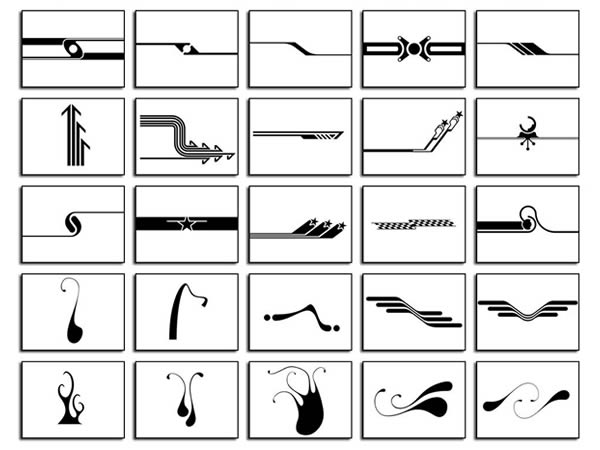
Free to Download, 200 Photoshop CSH Shapes

Free to Download, 9 Photoshop CSH Shapes

Free to Download, 100 Photoshop CSH Shapes

Free to Download, 7 Photoshop CSH Shapes

Free to Download, 20 Photoshop CSH Shapes

Free to Download, 11 Photoshop CSH Shapes

Free to Download, 12 Photoshop CSH Shapes

50 Photoshop CSH Shapes

Free to Download, 45 Photoshop CSH Shapes

Free to Download, 9 Photoshop CSH Shapes

Free to Download, 55 Photoshop CSH Shapes

Free to Download, 4 Photoshop CSH Shapes


Free to Download, 46 Photoshop CSH Shapes

Free to Download, 10 Photoshop CSH Shapes

Free to Download, 15 Photoshop CSH Shapes

Free to Download, 12 Photoshop CSH Shapes

60 Photoshop CSH Shapes

Free to Download, 35 Photoshop CSH Shapes

Free to Download, 8 Photoshop CSH Shapes

Free to Download, 19 Photoshop CSH Shapes

Free to Download, 64 Photoshop CSH Shapes


(Free, 7 Photoshop CSH Shapes

Free to Download, 6 Photoshop CSH Shapes

Free to Download, 29 Photoshop CSH Shapes

Free to Download, 12 Photoshop CSH Shapes

Free to Download, 21 Photoshop CSH Shapes

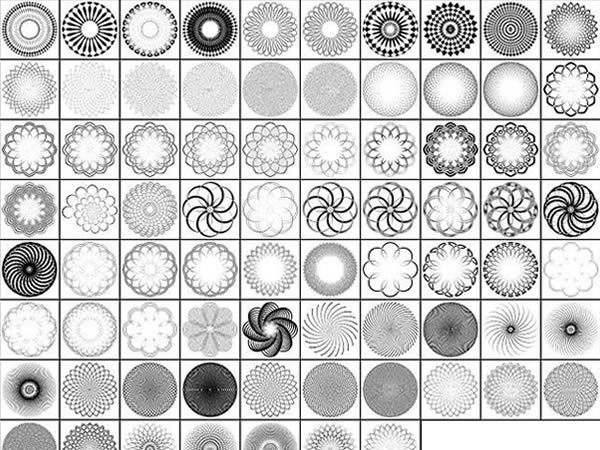
Free to Download, 77 Photoshop CSH Shapes
How to Import Custom Patterns into Photoshop
Here’s a quick tutorial on how to import patterns into Photoshop.
- Download and unzip the Photoshop pattern you want to use
- Launch Photoshop and go to
Edit > Presets > Export/Import Presets. - Locate the folder with your Photoshop pattern and click
Open. - Double-click the file pattern you wish to import and then press the
Import Presets - Once the process is finished, your patterns will be ready to use
Related Topics
Is Generative AI a Blessing or a Curse? Tackling AI Threats in Exam Security
As the technological and economic shifts of the digital age dramatically shake up the demands on the global workforce, upskilling and reskilling have never been more critical. As a result, the need for reliable certification of new skills also grows. Given the rapidly expanding importance of…
The Quantum Arms Race Isn’t Just About Tech, It’s About Who Controls the Narrative
The quantum arms race is no longer just a battle over technology, it’s a battle over perception. For years, the narrative around quantum computing has been clouded by skepticism, fueled by early hype that outpaced delivery. Industry leaders like Jensen Huang have reinforced the idea that…
Or Lenchner, CEO of Bright Data – Interview Series
Or Lenchner, CEO of Bright Data, has led the market-leading web data collection platform since 2018, driving its expansion, innovation, and growth to over USD 100 million in annual revenue. Bright Data enables Fortune 500 corporations, leading businesses, renowned universities, and public sector entities to access…
How Teradek’s Prism Mobile Encoder Revolutionized In-Car Streaming for Supercars Fans

In this article from TM Broadcast, Teradek showcases how its cutting-edge technology powered real-time, in-car streaming for the Supercars Championship in Australia. The goal was to immerse fans in the high-speed action by delivering uninterrupted live video directly from 25 supercars, even as they raced at speeds exceeding 300 km/h. Supercars Australia, in collaboration with Chris Beaumont, Head of IT, faced significant challenges, including network congestion from massive crowds, power consumption concerns, and maintaining high-quality streams in a fast-moving environment.
To overcome these obstacles, Teradek deployed its Prism Mobile encoder, designed for high-quality H.265 video transmission, along with Node modems that ensured reliable connectivity across Vodafone, Optus, and Telstra networks. The Teradek Core platform handled stream debonding, while the Teradek Core API automated workflow processes, enabling seamless live streaming with minimal manual intervention. This innovative setup allowed fans to access cockpit views, real-time telemetry data, and immersive audio through the Supercars app, enhancing their viewing experience like never before.

The implementation of Teradek’s technology led to significant improvements in streaming reliability, connectivity, and efficiency. Features like automatic streaming activation, API integration, and low power consumption streamlined operations, while the ability to customize video settings and manage replays improved both fan engagement and technical analysis. As a result, Supercars saw increased viewership and positive feedback, proving that Teradek’s broadcast solutions are redefining live motorsport streaming.
Read the full article from TM Broadcast HERE
Learn more about Teradek below:
EdTech meets edge AI: Scalable, privacy-first ecosystems
Edge AI transforms EdTech, delivering scalable, personalized learning solutions while protecting student data and reshaping education’s future….
LG EXAONE Deep is a maths, science, and coding buff
LG AI Research has unveiled EXAONE Deep, a reasoning model that excels in complex problem-solving across maths, science, and coding. The company highlighted the global challenge in creating advanced reasoning models, noting that currently, only a handful of organisations with foundational models are actively pursuing this…
Panasonic Connect Unveils AG-CX20 4K Camcorder with Advanced Streaming and Mobility Features

In this article for NewsCastStudio, Panasonic Connect announces the AG-CX20, a new 4K professional camcorder designed to enhance mobility, streaming capabilities, and overall video production performance. With a 4K 60p 10-bit recording format, a 25mm wide-angle lens, and 24x optical zoom, the AG-CX20 is built for one-person operations and professional settings that demand high-quality footage in a compact form factor.
Panasonic has integrated several improvements based on user feedback, including a high-resolution OLED viewfinder, an upgraded USB-C port for versatile power and data transfer, and a new low-bitrate recording mode for FHD MP4 footage. The camcorder also features an improved low-speed zoom, shooting guideline displays, and enhanced connectivity with Wi-Fi 5 GHz and USB tethering. Additionally, the HC-ROP app now supports live view functionality, streamlining remote operation from smart devices.
A standout feature of the AG-CX20 is its robust live streaming support. The camcorder enables FHD live streaming via Wi-Fi and Ethernet and is compatible with the SRT protocol for high-quality, low-latency broadcasting. It also offers NDI HX2-compliant IP connectivity for seamless integration into networked production environments. Equipped with 3G-SDI and simultaneous HDMI output, the AG-CX20 provides professional-level flexibility for diverse production needs.
With the release of the AG-CX20, Panasonic continues to expand its lineup of professional camcorders, catering to a broad spectrum of users—from directors capturing dynamic on-location footage to video creators focused on high-quality production and live streaming applications.
Read the full article from NewsCastStudio HERE