A thorough but approachable lesson on JavaScript expressions excerpted JavaScript For Everyone, a complete online course offered by our friends at Piccalilli.
An Introduction to JavaScript Expressions originally published on CSS-Tricks, which is part of the DigitalOcean family. You should get the newsletter….
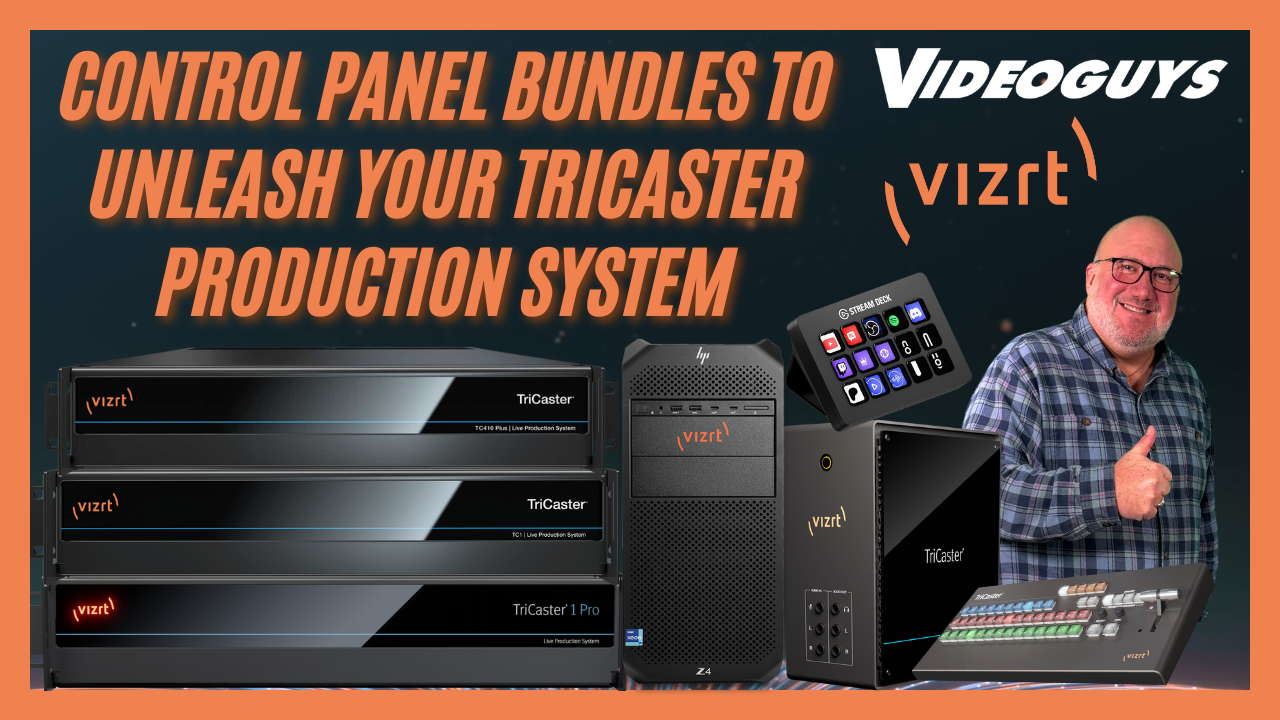
Videoguys is excited to announce all-new Q4 TriCaster Control Panel Bundles — the perfect way to level up your live production workflow. These bundles pair powerful TriCaster systems with Flex Control Panels and, for a limited time, include a free Elgato Stream Deck ($150 value) to supercharge your productions.
Whether you’re a school, house of worship, local government agency, or professional studio, these bundles offer the flexibility, control, and scalability to fit your needs.
[embedded content]
🖥️ Why Upgrade to a Vizion TriCaster Bundle?
Complete live production systems designed for easy setup and portability
Powerful NDI and SDI connectivity for modern workflows
Bundled with professional control surfaces for fast switching
Free Stream Deck to boost efficiency
Backed by the expertise of Videoguys — real operators who use this gear every week
✨ TriCaster Mini X Bundle — Portable Power Under $10K
The TriCaster Mini X bundle is perfect for:
K–12 schools
Small houses of worship
Local governments and corporate communications
Bundle Highlights:
4 HDMI inputs with NDI support
Stream and record up to 4K 30p
Mini Control Surface + carrying case
Compact, desktop-friendly design
Budget-friendly pricing under $10,000
🎁 Free Stream Deck with Every Bundle
Every Vizion TriCaster bundle includes a free Stream Deck — a $150 value.
Why You’ll Love It:
15 customizable shortcut buttons
Trigger camera presets and graphics instantly
Easy talent access and emergency control options
Seamless integration with Twitch, Zoom, and Microsoft Teams
Speeds up workflows and reduces operator error
⚡ Flex Panel Bundles — Pro Production Performance
Take your productions further with Flex Panel bundles available for:
TriCaster TC410 Plus
TriCaster TC1
TriCaster TC1 Pro
Key Features:
4K p60 streaming and recording
NDI and SDI connectivity
16 external video sources
Enhanced automation with Live Call Connect
Integrated Dante audio and NDI Bridge
Upgradeable with Dual Flex Panel for expanded control
🏢 Vizion Series — Enterprise-Level Power
For large-scale, future-proof productions, step up to the Vizion Tower or Vizion Rack.
Vizion Highlights:
Up to 44 live video inputs with hybrid NDI/SDI
Built on HP Z4 workstations for reliability
AI-assisted production tools
Advanced Viz integration for premium workflows
3-year subscription to Flowics (a $3,500 value)
Rack Options:
Vizion Rack 8 or Rack 16 configurations
8 or 16 configurable SDI I/O for flexible setups
Ideal for machine rooms, OB trucks, and scalable studios
🌐 Build a Complete NDI Ecosystem
To get the most from your TriCaster system, Netgear ProAV switches are our top recommendation.
Optimized for NDI
Reliable and scalable performance
Reduces network issues and simplifies setup
📞 Why Buy from Videoguys
Expert advice from real operators who use TriCasters every week
Nationwide dealer network for hands-on installation and support
Immediate stock availability and fast shipping
Exclusive Q4 promotion with free Stream Deck included
📞 Call us today at 1-800-323-2325 to learn more or place your order.
📢 Follow us on social media for updates, subscribe to our YouTube channel, and stay tuned for more live demos and industry news.
🏁 Final Thoughts
TriCaster Bundles are your chance to upgrade your live production workflow with pro-level tools, reliable hardware, and an exclusive freebie. Whether you’re producing in a classroom, church, city hall, or studio, there’s a bundle built for your needs.
👉 Don’t miss this limited-time Q4 offer. Call Videoguys today to reserve your bundle.
Security experts at JFrog have found a ‘prompt hijacking’ threat that exploits weak spots in how AI systems talk to each other using MCP (Model Context Protocol). Business leaders want to make AI more helpful by directly using company data and tools. But, hooking AI up…
Link strategies are important in improving search engine optimisation (SEO) and online visibility. Artificial intelligence is changing these strategies, making them more accurate and efficient. This article examines AI’s impact on link strategies, highlighting current tools and future trends. Businesses are always looking for new ways…
Web professionals use WordPress because of its infinite flexibility. We can build virtually any type of website. Everything is possible when it comes to looks and functionality.
That doesn’t mean the content management system (CMS) is easy for our clients, however. All the possibilities of WordPress can make for a disjointed back-end workflow. That makes it difficult to add content, manage orders, and help customers.
It’s one reason why websites become stale. Frustrated clients may cringe at the task ahead of them, so they stop logging in. That comes back to haunt us, as a disengaged client won’t be asking for a redesign or new features.
So, how do we avoid this scenario? It starts by keeping workflow in mind during every step of the design and build processes. Keeping an open line of communication also makes a difference.
Let’s explore some techniques for identifying and resolving your client’s WordPress pain points.
Think About the Impact of Design and Development Choices
We often make decisions based on our experiences. For instance, choosing a plugin or theme because it worked well on a previous project. That makes sense, to a point.
Every decision we make during a website build can impact our client’s workflow. We may not consider this until a client reaches a pain point. Then, we’re left to wonder where things went wrong.
For example, some form plugins store entries in the WordPress database. Others may rely only on email delivery. What happens if a client wants to browse entries and filter them by date? Choosing the latter plugin means an arduous process of searching for and cataloging emails.
The same principle applies to plugin ecosystems. WooCommerce features thousands of extensions that enhance functionality. However, some may provide a more seamless experience in the dashboard. The tighter the integration, the better for you and your client.
On the other hand, a piecemeal approach to features means using plugins from multiple vendors. There’s no guarantee you’ll be able to extract useful data in a unified way. You may have to resort to complex database queries.
The above scenarios are neither good nor bad in a general sense. Much depends on your client’s needs and skill level. Those are important considerations when choosing what to build and how it should work.
Help Clients Determine Their Needs and Comfort Level
Asking the right questions is the best way to determine a client’s needs. You can build a workflow to fit your client when you understand their expectations.
This is easier said than done, especially in the early stages of a project. Not everyone knows what they want or even how to articulate it. For instance, a client without e-commerce experience may not realize what tasks they’ll need to perform when an order arrives.
That might lead to making decisions without your client’s input. We know what works and what doesn’t, after all…
Not so fast!
This approach can lead to future problems. A client may not be as comfortable with a task as we are. Or perhaps there are too many steps for them to remember. The result is building something your client can’t or doesn’t like to use.
A more effective solution is to encourage clients to think about these tasks before implementation. Share a typical scenario for processing orders or editing content. The sooner they consider the options, the better the outcome.
You may notice that their input shifts as the project moves forward. They might want to refine processes, which could lead to extra work. However, it’s worth doing if it increases their comfort level.
No one wants to rip an existing website apart, after all.
Dealing With Workflow Issues on Existing Websites
WordPress workflows don’t stay easy and efficient forever. Sometimes, a new feature adds a degree of difficulty to a process. Clients are also apt to change their minds. What to do then?
A conversation with your client will provide a helpful reset. Listen to their pain points and share what (if anything) will need to be changed on their website. This information will help you create a plan to streamline things.
The best-case scenario is finding a plugin that makes life easier for your client. From there, it’s a matter of installing and activating your way to workflow bliss.
The answers aren’t always easy, however. A plugin may not be very flexible or have the options you need. Yet, it may also be a requirement for the website’s functionality. As such, finding a replacement isn’t realistic. That means turning to custom code.
Extending an existing plugin is a possible solution. If the plugin is well documented, you might use AI to generate a helpful code snippet. At the very least, you’ll have a head start on the project.
In more difficult cases, you might build a plugin from scratch. AI is once again your friend in that scenario.
Be sure to use a staging environment to test code, regardless of the path you choose. It could save you from even more trouble.
Make WordPress Work for Your Clients
WordPress offers endless possibilities – but not all add up to a great workflow. Creating one takes experience, research, and a willingness to work with your clients.
You’ll also need to adapt to change. What worked for your client a year ago might not fit their current needs. The key is streamlining processes without impact to the website’s mission or data.
The great part is that WordPress gives you the power to build custom solutions. That will come in handy when dealing with complex issues.
So, keep your client’s workflow in mind every step of the way. Your attention to detail will benefit everyone.
WordPress themes can be customized to your heart’s content. Block themes have the native Site Editor for tweaking styles and templates. Classic themes use the legacy Customizer and accept custom PHP in templates. You can select the option that best fits your needs.
Yes, there are different approaches. However, all themes share at least one common file: functions.php
Developers can use functions.php to add custom code snippets. You can enable or disable specific WordPress features, or change how they work. The same goes for plugins like WooCommerce. Some themes include custom functions, which you can also edit via a child theme’s version of the file.
That’s only scratching the surface of what’s possible. A variety of custom functionality can be added here. That’s both a positive and a negative.
It’s great that the functions.php file is so versatile. The downside is that we often use it as the “junk drawer” of WordPress. It’s easy to fill the file with code that would be a better fit as a custom plugin. That could mean trouble as your site evolves.
So, how do you decide what to include and what to leave out of your theme’s functions.php file? Check out our best practices below.
A Repository for All Your Custom Code?
It seems like every WordPress development tutorial recommends placing code snippets in the functions.php file. Why is that? Well, it’s easier to explain than walking someone through building a plugin.
This technique works well enough. Most code snippets will run as expected. Plus, all your custom code resides in a singular file. It sounds like a winning solution.
But what happens if you change themes down the road? Those code snippets won’t migrate automatically. You’ll have to copy them to the new theme’s functions.php file. It’s an easy step to forget when redesigning a website.
Much depends on the specifics of your website, but you might miss some critical functionality. That could result in a myriad of issues. Everything from a buggy feature to a broken website is possible.
Project organization is also a concern. A file containing a random collection of snippets can be confusing. You might find yourself searching for code related to a specific feature or forgetting what’s there. It’s a recipe for future chaos, especially for large sites.
Thus, the negatives often outweigh the positives of using functions.php as a catch-all. It’s something to consider before opening the file and adding code.
<img fetchpriority="high" decoding="async" src="https://speckyboy.com/wp-content/uploads/2025/09/functionsphp-best-practices-01.webp" alt="It's tempting to add all of your custom code into the functions.php file.” width=”900″ height=”600″>
Does Your Code Belong in functions.php?
How do you know if a code snippet belongs in your functions.php file? The WordPress Theme Handbook offers a simple rule of thumb:
“If you are creating features that should be available regardless of the site’s design, it is best practice to put the code in a plugin. The rule of thumb is that themes should only deal with the site’s design.”
That’s much stricter than the typical use case. However, it also makes perfect sense. Custom plugins are a constant and will continue to work, regardless of the active theme. Thus, it’s risky to add anything unrelated to design to functions.php.
What counts as design-related code? Here are a few common examples:
Custom CSS and JavaScript files;
Custom PHP functions to be used in theme templates;
Adopting this philosophy will keep your site better organized and reduce the risk of future problems.
Keep Your WordPress Theme Light and Focused
Sure, it’s possible to add loads of code to your theme’s functions.php file. Many of us have done so and learned a difficult lesson or two. That’s OK.
To paraphrase the old saying: When you know better, you do better. Those experiences can lead us to better solutions.
The bulk of what developers add to functions.php likely belongs in a custom plugin. It’s a better way to ensure website stability.
The other side effect is a theme with less bloat. It will be better optimized and provide you with greater flexibility. You’ll also have one less thing to worry about when you switch to something new.
Perhaps the idea of building plugins sounds scary. However, tools like artificial intelligence can improve the process. Ask AI to build a plugin using the code snippets you want to migrate. You can be up and running within minutes.
So, the next time you want to add custom code to your WordPress website, ask yourself: Does it belong in functions.php?
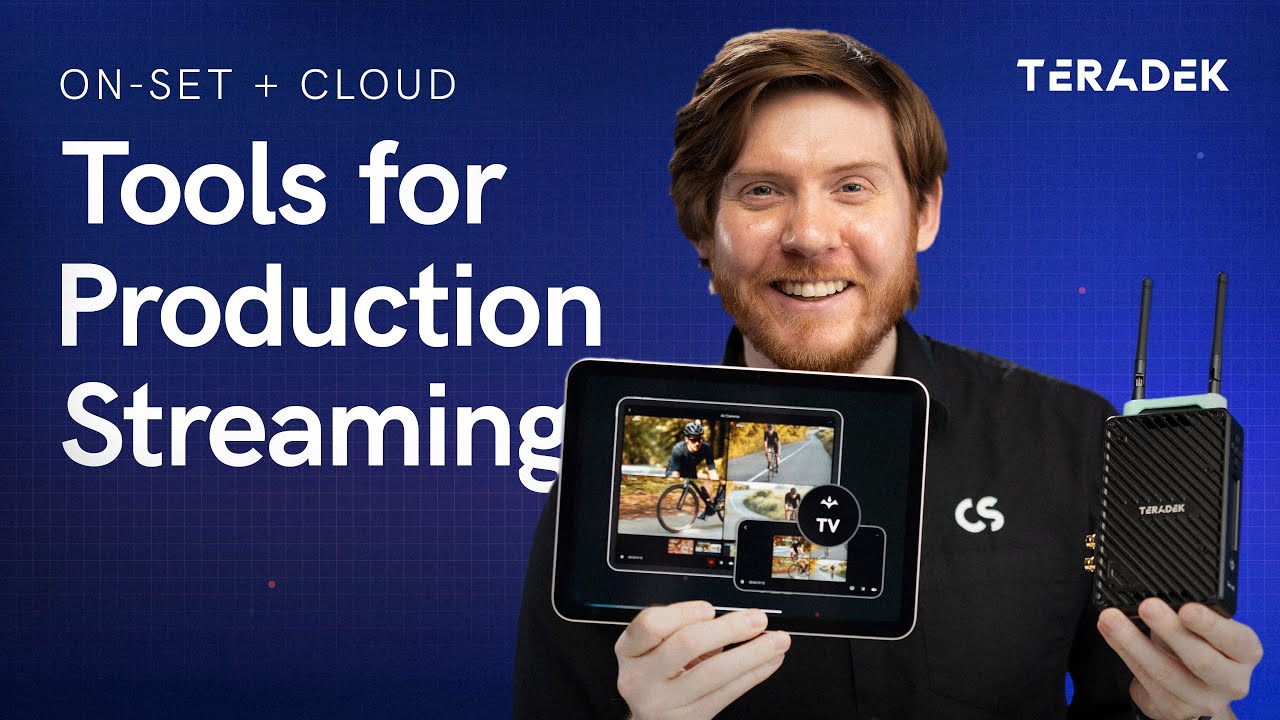
In this video from Teradek, Colin explains how production streaming can enhance both on-set and remote workflows. With the combination of Teradek Serv 4K, Teradek TV, and Teradek Link AX, it’s easier than ever to deliver secure, low-latency camera feeds to anyone who needs them—on location or anywhere in the world.
[embedded content]
Colin starts by focusing on local streaming, which allows directors, producers, clients, and crew to view encrypted camera feeds on their phones, tablets, or Apple TV with no complicated setup. The Teradek TV app supports features like multi-view layouts, built-in video tools (false color, peaking, LUTs, waveform, histogram), frame grabs with custom naming, and watermarking for security. This makes it easy to keep everyone on set connected and informed in real time.
The hardware setup is simple: one Serv 4K encoder per camera and a Link AX Wi-Fi 6 router for multiple feeds. You can stream to up to 20 devices without any subscription costs. Setup can be done through the Serv 4K front panel, the mobile app, or a browser-based web interface, offering flexible control over video settings, encryption, and viewer access.
The video then explores cloud streaming, perfect for productions that need to involve remote creatives, clients, or post-production teams. By connecting to the internet or using Teradek Node with Teradek Data, you can securely share feeds through the cloud with minimal latency. The workflow supports camera-to-cloud recording, passes metadata from professional cinema cameras, and enables encrypted, high-quality streaming anywhere.
With Teradek TV, you can easily combine local and cloud streaming to create a flexible, secure, and professional production environment. Whether it’s a large studio shoot or a remote collaboration, this workflow keeps your team connected with real-time access to the action.
A few years ago, the business technology world’s favourite buzzword was ‘Big Data’ – a reference to organisations’ mass collection of information that could be used to suggest previously unexplored ways of operating, and float ideas about what strategies they may best pursue. What’s becoming increasingly…
CIOs want to fix IT problems faster without expanding headcount, and many see AI adoption as the solution for their operations. For ages, they’ve used things like automation and self-help portals to handle this, so their teams can solve issues quickly. Now, AI is getting involved,…
For CFOs and CIOs under pressure to modernise finance operations, automation – as seen in several generations of RPA (robotic process automation) – isn’t enough. It’s apparent that transparency and explainability matter just as much. Accounting firms and finance functions inside organisations are now turning to…